

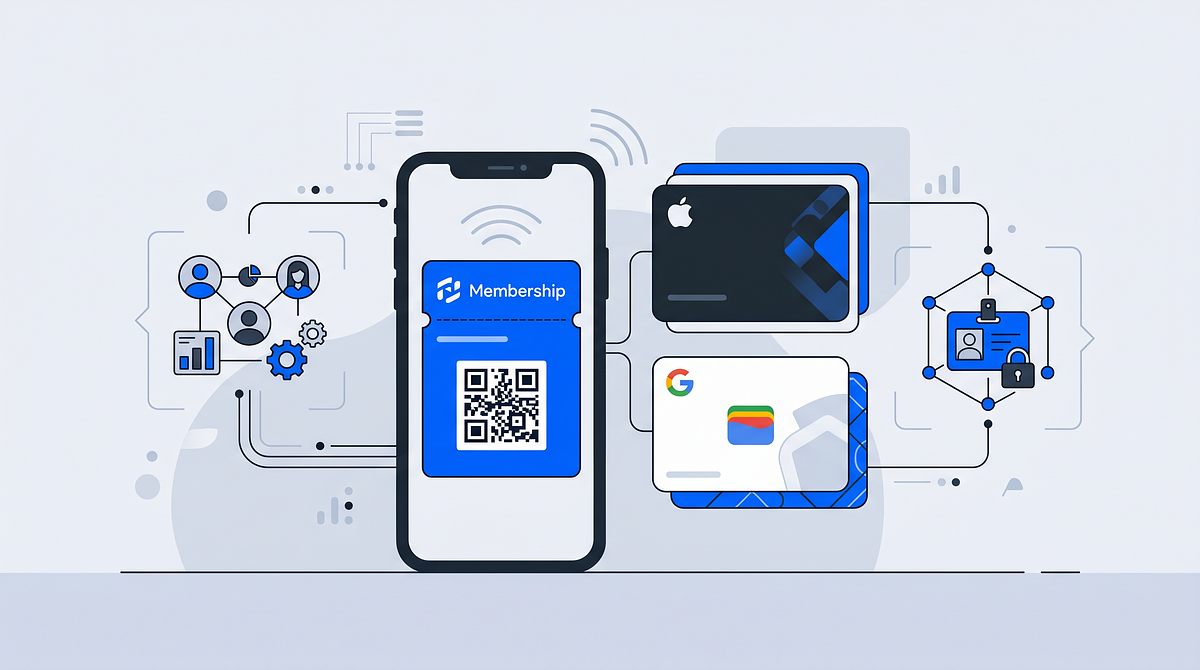
A digital membership card is a smartphone-based credential that replaces traditional plastic cards, stored in Apple Wallet or Google Wallet and scanned via QR code or NFC for instant access to member benefits.
This guide covers how digital membership cards work, what to look for in software, and how Unidy connects cards to your CRM and identity stack for richer member data and new revenue opportunities.
What is a digital membership card?
A digital membership card is a smartphone-based alternative to traditional plastic cards. Members store the card in Apple Wallet or Google Wallet, then use QR codes or NFC (Near Field Communication) technology for instant access to events, perks, and member benefits.
The practical difference is straightforward: instead of carrying a plastic card that can be lost or forgotten, members pull up their phone. The card is always there, right alongside payment cards and boarding passes.
- Smartphone-based: The card lives on the member's device, not in a physical wallet
- Wallet integration: Stored in Apple Wallet or Google Wallet for quick access
- Scannable: Staff verify membership by scanning a QR code or tapping via NFC
How does a digital membership card work?
The process from signup to check-in follows a clear sequence. First, a member signs up or renews through an online form or Single Sign-On (SSO) login. SSO is a method that lets users log in once and access multiple connected services without entering credentials again.
After signup, the organization sends an email with an "Add to Apple Wallet" or "Save to Google Wallet" link. The member taps the link, and the card appears in their mobile wallet within seconds.
At check-in, staff scan the QR code on the member's phone screen, or the member taps their device against an NFC reader. One useful detail: cards can update automatically when membership status changes. If a member renews or upgrades to a premium tier, the card reflects the change without any action from the member.
Benefits of digital membership cards over plastic cards
Organizations that switch from plastic to digital cards typically see immediate cost reductions and faster member onboarding. Members, meanwhile, appreciate having their card always available on their phone.
Lower production and distribution costs
Printing plastic cards, packaging them, and mailing them to members adds up. Digital cards eliminate printing vendors, card stock orders, and postage entirely.
Instant delivery to every member
With plastic cards, members often wait days or weeks for postal delivery. Digital cards arrive in the member's inbox immediately after signup or renewal, so new members can access benefits right away.
Faster check-in with QR codes
Staff scan the member's phone screen instead of manually entering membership numbers or swiping physical cards. Queue times at events and venues drop as a result.
Richer member data and engagement insights
Digital cards can track scan events, giving organizations visibility into which members attend which events and how often. This data feeds into building comprehensive member profiles, which supports more personalized communication.
How to create digital membership cards
Setting up digital membership cards involves a few key steps. The process is more straightforward than it might seem, especially when using a platform designed for this purpose.
1. Define member groups and access rights
Before creating cards, organizations typically segment members into groups such as standard, premium, and VIP. Each group can have different access rights and benefits. This approach, sometimes called role-based access control (RBAC), ensures the right members get access to the right resources.
2. Design and brand the card template
The card template displays your organization's logo, colors, and relevant member details. Common fields include member name, membership tier, member ID number, and expiration date.
3. Connect Apple Wallet and Google Wallet
Digital membership card software generates .pkpass files for Apple Wallet and uses the Google Wallet API for Android devices. A .pkpass file is simply a package containing the card's design, data, and cryptographic signature. Both wallet platforms support automatic updates, so changes to membership status sync without member action.
4. Distribute cards through a Single Sign-On login
Linking card distribution to an SSO flow ensures members receive their card automatically upon registration or renewal. When a member logs in once, they gain access to their card and any connected services, reducing manual admin work.
What to look for in digital membership card software
Choosing the right membership management software depends on your organization's specific situation. However, certain features consistently matter across different use cases.
| Feature | Why it matters |
|---|---|
| Branded member account | Cards reflect your organization's visual identity |
| Apple Wallet and Google Wallet support | Ensures compatibility with all major smartphones |
| CRM and ticketing integrations | Syncs member data across your existing tools |
| GDPR compliance and EU hosting | Required for organizations operating in Europe |
Branded member account and card design
The card and the member account behind it can match your organization's corporate identity. Members see your logo and colors, not a generic template.
Apple Wallet and Google Wallet support
Some providers only support one wallet platform, which excludes a portion of your member base. With over 5.3 billion digital wallet users globally, software that supports both Apple Wallet and Google Wallet ensures every member can use their digital card.
CRM, shop, and ticketing integrations
The software can sync member data with your existing Customer Relationship Management (CRM) system, e-commerce shop, and ticketing platform. APIs and webhooks make this synchronization possible, keeping member information consistent across all your tools.
GDPR compliance and EU hosting
For European organizations, the provider can offer EU-hosted data storage and transparent consent management. This supports compliance with the General Data Protection Regulation (GDPR), under which cumulative fines exceed €7.1 billion.
Apple Wallet and Google Wallet integration for membership cards
Wallet integration goes beyond simply storing a card image. Both Apple Wallet and Google Wallet support dynamic features that enhance the member experience.
- Push notifications: Send reminders or updates directly to the member's lock screen
- Automatic updates: Membership tier or expiration changes sync without member action
- Offline access: Members can display their card even without internet connectivity
When a member's status changes, such as a renewal or upgrade, the card updates automatically. The member does not download a new card or take any action.
Branding and customizing your digital membership card
Visual consistency matters. The card can display your organization's logo, brand colors, and relevant member information.
Common customization options include:
- Logo and background image
- Member name and photo
- Membership tier or group
- QR code or barcode
- Expiration date
A branded user account feature allows organizations to configure card fields and appearance to match their corporate identity. The digital card then feels like a natural extension of your brand.
Connecting digital membership cards to your CRM and identity stack
A digital membership card becomes most valuable when connected to your broader data infrastructure. The identity stack—sometimes called Customer Identity and Access Management (CIAM)—refers to the combination of SSO, CRM, Customer Data Platform (CDP), and other member data tools that your organization uses.
When the card is tied to a central user ID, data syncs bidirectionally with connected services. This creates a 360° member profile that includes contact details, event attendance, purchase history, and engagement patterns.
Common integration points include:
- CRM: Sync member contact details and engagement history
- Ticketing: Link card access to event tickets
- E-commerce: Connect membership status to shop discounts or exclusive access
GDPR consent and zero-party data with digital membership cards
Digital membership cards require collecting personal data such as name, email, and membership status. Organizations operating in Europe manage consent under GDPR.
Zero-party data refers to information that members intentionally and proactively share, such as preferences and profile details. This type of data is particularly valuable because members have explicitly chosen to provide it.
Key GDPR requirements for digital membership cards include:
- Clear consent: Members opt in to data collection
- Transparency: Members see what data is stored and why
- Right to access and delete: Members can request their data or request deletion
A consent management feature with personalized consent screens and a member-facing data cockpit helps organizations meet GDPR requirements while giving members control over their permissions.
Turning digital membership cards into revenue
The digital membership card can become a revenue channel, not just an access credential.
Premium membership tiers
Organizations can offer paid membership levels such as VIP or Gold with exclusive benefits. The digital card reflects the tier and grants access to premium perks.
ID-based campaigns and personalized offers
Because each card is tied to a unique member ID, organizations can run targeted campaigns based on member data. Birthday discounts, renewal reminders, and personalized offers become straightforward to implement.
Partner integrations and member perks
Organizations can partner with sponsors or vendors to offer exclusive discounts. The digital card serves as the credential for accessing partner benefits.
Rolling out digital membership cards with Unidy
Unidy combines SSO, branded user accounts, wallet integration, and data synchronization in one platform. Organizations can onboard members faster, since the digital card is delivered automatically through the unified login flow.
The platform's integrations with CRMs, CDPs, and other tools ensure member data stays synchronized across all connected services. For organizations looking to grow revenue, Unidy supports premium membership tiers and ID-based campaigns tied to central member profiles.
Frequently asked questions about digital membership cards
How are digital membership cards different from loyalty cards?
A digital membership card grants access to an organization or group, while a loyalty card tracks purchases for rewards. Membership cards are tied to identity and access rights. Loyalty cards are tied to transaction history. Some organizations combine both functions, but they serve distinct purposes.
Are digital membership cards secure?
Digital membership cards stored in Apple Wallet or Google Wallet use device-level encryption. Displaying the card typically requires biometric authentication such as Face ID or fingerprint, integrated into 72% of mobile wallets globally. Digital cards are more secure than physical cards, which can be lost, stolen, or copied.
Can members use a digital membership card without a smartphone?
Some organizations offer fallback options, such as a printed QR code or a web-based card accessible via browser. However, full functionality including wallet storage and push notifications requires a smartphone.
How do organizations migrate from plastic membership cards to digital ones?
Organizations typically import existing member data into their digital membership card software, then send each member an email with a link to add their new digital card. The plastic card can remain valid during a transition period.
Can one digital membership card grant access to multiple services?
Yes, when the card is tied to a central identity layer such as an SSO platform, it can grant access to multiple connected services. Ticketing, e-commerce, and content platforms can all use a single member ID.
Data Sovereignty in Sports: Closing the Gap Between Clubs and Platforms
Sports clubs generate fan data across ticketing, streaming, merchandise, and membership platforms every day. The problem is that most of this data stays with the platforms, not the club.
Fan Engagement Platform for Sports Teams and Leagues
A fan engagement platform is a centralized digital solution that helps sports teams and leagues connect with supporters beyond match day by unifying fan data, logins, and consent across all touchpoints.