

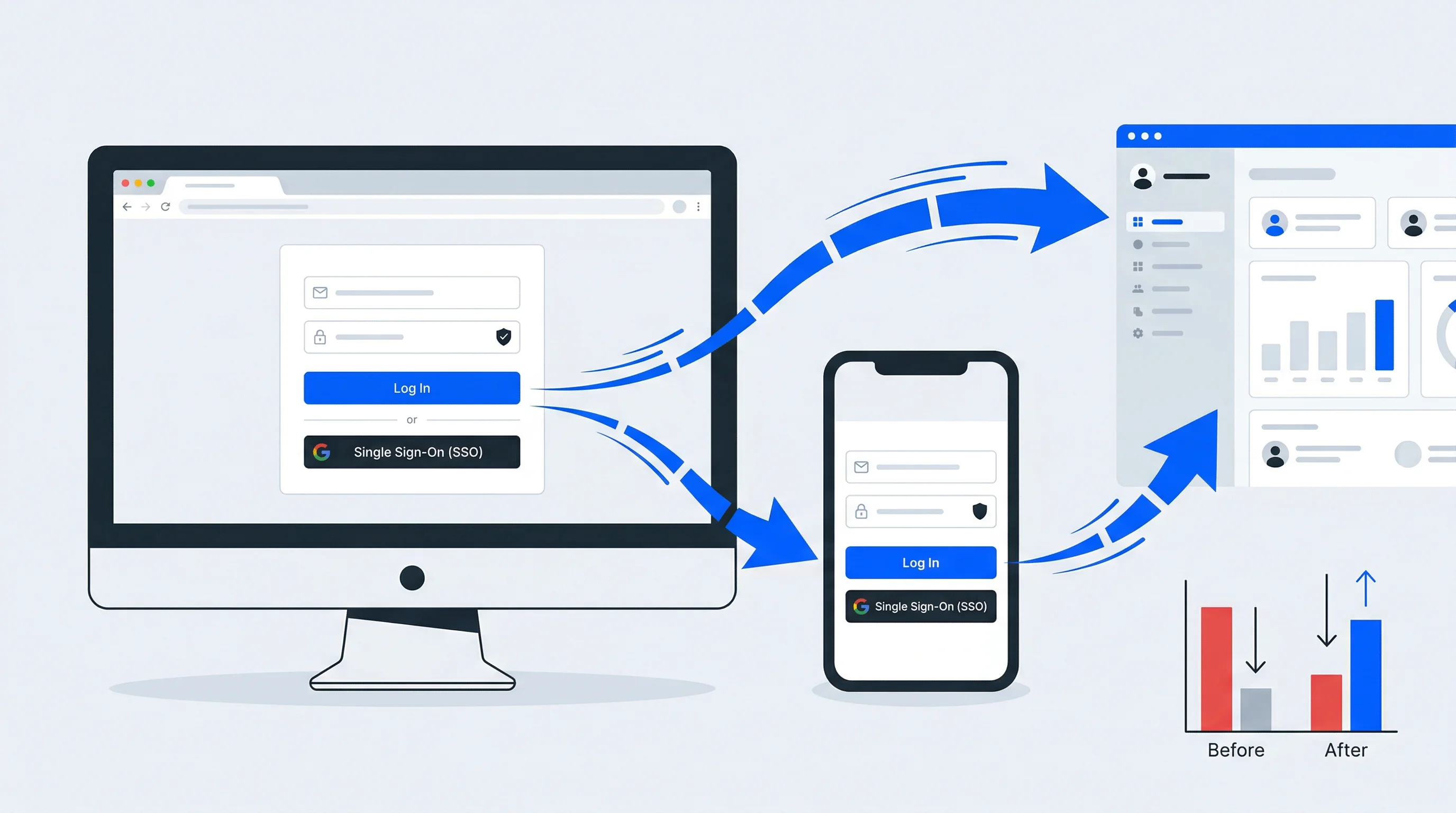
A user arrives at your login page ready to engage, buy, or access content—and then leaves without authenticating. That moment of abandonment, repeated across thousands of sessions, represents one of the most overlooked sources of lost revenue in digital products.
Login page conversion optimization focuses on removing the friction that causes these drop-offs. This guide covers the key elements that affect login conversions, practical techniques for improvement, and how to measure whether your changes are working.
What is login page conversion optimization
Login page conversion optimization is the process of reducing friction so users can access their accounts faster. When done well, it lowers bounce rates and increases retention. The core idea is simple: remove whatever stands between a user and successful authentication.
This differs from general landing page optimization in one important way. With landing pages, you're often persuading someone to take a new action. With login pages, the user has already decided to engage—they just want in.
A few terms will help as we move forward:
- Login page conversion rate: The percentage of users who arrive at your login page and successfully authenticate
- Drop-off rate: The percentage of users who leave before completing the login flow
- Authentication flow: The steps a user takes from landing on the page to gaining access
Why login page conversion optimization matters for business growth
Every abandoned login is a missed opportunity. A Frontegg study found that 87% of Americans have abandoned a sign-up or purchase due to login difficulties. Over time, that friction adds up to real revenue loss.
Login friction isn't a UX problem — it's a revenue problem
Successful logins also unlock data collection. Once authenticated, you can gather zero-party data (information users share intentionally) and first-party data (behavioral information you observe). Both fuel personalization and targeted campaigns.
Then there's customer lifetime value. Users who log in easily tend to return more often. Users who struggle may never come back. The login page, often overlooked, is actually one of your most important touchpoints.
How Single Sign-On improves login page conversion rates
Single Sign-On (SSO) lets users authenticate once and access multiple connected services without logging in again. It's one of the most effective ways to reduce friction, especially for organizations with several digital touchpoints.
SSO works through authentication standards like OIDC and SAML. These protocols securely pass identity information between systems, so users move seamlessly from one service to another.
The conversion benefit is straightforward: fewer login prompts mean fewer chances for drop-off. Some platforms take this further by combining SSO with consent collection and checkout, creating one-click experiences that handle authentication, permissions, and transactions in a single action.
Key elements that affect login page conversions
Several factors determine whether users complete or abandon login flows. Understanding each one helps you identify where friction exists.
Form fields and input requirements
The number of fields on your login form directly impacts completion rates. Each additional field creates another moment where users might pause, make an error, or leave.
For login (not registration), the standard is email or username plus password. Anything beyond that requires a good reason. If you want more profile data, consider progressive profiling—collecting information gradually across multiple sessions rather than all at once.
Authentication methods and login options
Different users prefer different ways to log in. Offering options reduces barriers for everyone.
| Method | User Effort | Security Level | Best For |
|---|---|---|---|
| Username/Password | Medium | Medium | Returning users with established credentials |
| Social Login | Low | Medium | Quick onboarding, mobile users |
| Passwordless (Magic Link) | Low | High | Mobile users, password-fatigued audiences |
| Single Sign-On (SSO) | Very Low | High | Multi-service ecosystems |
The right mix depends on your audience. A consumer media platform might emphasize social login, while an enterprise application might prioritize SSO integration with corporate identity providers.
Page load speed and performance
Users expect login pages to load quickly. Slow pages see higher abandonment.
Standard performance optimization applies here: compress images, minimize scripts, use content delivery networks (CDNs), and avoid unnecessary third-party calls. The login page is not the place for heavy marketing assets or complex animations.
Mobile responsiveness and design
With mobile devices now generating over 62% of global website traffic, many users will log in from their phones. Forms with tiny input fields, hard-to-tap buttons, or layouts requiring horizontal scrolling create unnecessary friction.
Touch targets—buttons and input fields—work best at a minimum of 44x44 pixels. Autofill support and biometric options like Face ID or fingerprint scanning can further streamline the mobile experience.
Trust signals and security indicators
Users are increasingly aware of security risks. Visual cues that signal safety reduce hesitation:
- SSL certificates: The padlock icon in the browser address bar
- Recognizable branding: Consistent logos, colors, and design language
- Clear privacy links: Easy access to privacy policy and data handling information
- GDPR-compliant consent language: Transparent statements about data usage
For audiences in regulated markets, clear data handling statements can actually improve conversion by addressing concerns before they become objections.
Best practices for login page conversion rate improvement
The following practices apply specifically to login and authentication flows, building on general landing page optimization principles.
1. Simplify the login flow
Remove every unnecessary step between arriving at the page and reaching an authenticated state. If users can complete login in one action rather than three, they will.
Where possible, combine login, consent, and checkout into a single flow. This approach reduces the total number of screens while still collecting the permissions and data you want.
2. Implement Single Sign-On across touchpoints
Enable users to authenticate once and access all connected services. This is especially valuable for organizations managing multiple apps, websites, or member portals.
A centralized identity layer ensures consistent login experiences across touchpoints while simplifying user management on the backend.
3. Offer social login options
Social login via Google, Apple, or Facebook allows users to authenticate with credentials they already have. This reduces password fatigue and speeds up the process.
However, consider your audience's preferences. Some users prefer not to connect social accounts to other services, so offering alternatives matters.
4. Optimize for mobile users
Ensure forms are thumb-friendly, enable browser autofill, and support biometric authentication where possible. Test the login flow on actual mobile devices, not just responsive previews in a browser.
5. Build trust with security indicators
Display SSL badges, provide clear privacy information, and use consistent branding. Users who feel uncertain about security are more likely to abandon the process.
6. Integrate consent and opt-in seamlessly
Rather than adding separate consent screens after login, integrate consent collection into the authentication flow itself. This maintains compliance with regulations like GDPR while reducing the total number of steps.
Transparent consent screens that clearly explain data usage can build trust rather than create friction.
7. Use clear and actionable copy
Replace generic button text like "Submit" with specific calls to value: "Access My Account," "Continue to Dashboard," or "Start Watching." Clarity about what happens next reduces hesitation.
How to A/B test your login page for conversion rate optimization
A/B testing for login pages follows the same principles as other conversion work: change one variable at a time, run tests long enough to reach statistical significance, and segment your analysis appropriately.
Elements worth testing include:
- Headlines and value propositions
- Number of form fields
- Button copy and color
- Social login placement and prominence
- Error message clarity and helpfulness
One important distinction: test new users (signup) and returning users (login) as separate segments. Their behaviors differ significantly, and combined data can obscure meaningful insights.
Common login page mistakes that hurt conversion rates
Certain errors create friction that drives users away, often without the organization realizing the cause.
Requiring too much information upfront
Lengthy registration forms deter completion. Collect only what you want to authenticate the user initially, then gather additional profile data progressively over time.
Hiding the login option
Some pages emphasize signup so heavily that returning users struggle to find the login link. This frustrates your most engaged audience—people who already have accounts and want to use them.
Neglecting password recovery UX
Difficult password reset flows cause permanent drop-off — Bitwarden's 2025 global survey found that 55% of users have abandoned an account entirely to avoid the reset process. Make the "Forgot Password" link prominent and the recovery process simple.
A forgotten password shouldn't mean a lost customer
Ignoring mobile users
Non-responsive login pages with tiny inputs or desktop-only features alienate a significant portion of traffic. Mobile optimization is not optional for most audiences.
How to measure login page performance
Tracking the right metrics reveals where users struggle and where optimization efforts will have the greatest impact.
Conversion rate and drop-off points
Define your login conversion rate clearly: visitors who reach the login page divided by those who successfully authenticate. Use funnel analysis to identify specific points where users abandon the process.
Authentication success rate
Measure successful logins versus failed attempts. High failure rates may indicate credential-related problems, confusing UI, or technical issues preventing access.
Time to complete login
Track how long the authentication process takes from page load to successful access. Longer times often indicate friction, user confusion, or performance issues.
Return user login frequency
Monitor how often authenticated users return. This serves as a key indicator of overall experience quality and satisfaction with your product.
Landing page strategy for optimized login experiences
The login page is often a landing page itself—accessed from email links, app deep links, bookmarks, or password manager autofill. It deserves the same strategic attention as any other high-traffic entry point.
Apply standard landing page principles: clear value proposition, minimal distractions, and a single focused action. The login page is not the place for promotional banners or navigation menus that pull attention away from authentication.
Conversion rate optimization for regulated industries and compliance
For organizations in regulated industries, conversion rate optimization involves additional complexity. GDPR, consent requirements, and industry-specific regulations add steps to the authentication flow.
However, compliance and conversion are not mutually exclusive. Transparent consent screens, EU-hosted data handling, and clear privacy communication can build trust and improve completion rates.
Identity platforms with built-in consent management help maintain compliance while streamlining the login experience. The key is integrating consent into the flow rather than adding it as an afterthought.
How unified login experiences drive conversions at scale
Organizations with multiple services—apps, websites, member portals, ticketing systems—benefit from a central identity layer that provides consistent, branded login experiences across all touchpoints.
This approach enables the creation of 360° user profiles, which aggregate data from multiple sources into a single view. Unified profiles power personalization that increases engagement and revenue per user.
For organizations looking to unify login, consent, and user data across all digital touchpoints, a ready-to-go identity management platform can accelerate implementation while lowering IT costs compared to building custom infrastructure.
What is a good conversion rate for a login page?
A "good" login conversion rate varies by industry, user type, and whether you're measuring login, signup, or both. Rather than targeting a specific benchmark, focus on continuous improvement through testing. Your baseline is your starting point; improvement from there is what matters.
How does conversion rate optimization differ from SEO for login pages?
Conversion rate optimization (CRO) focuses on improving the percentage of visitors who complete login, while SEO focuses on driving traffic to the page. They address different stages of the user journey but work together—SEO brings users to the page, CRO ensures they convert once there.
Does passwordless authentication improve login page conversion rates?
Passwordless methods like magic links or biometrics often reduce friction and improve completion rates, especially on mobile devices where typing passwords is cumbersome. However, user familiarity varies, so testing with your specific audience is worthwhile.
How do GDPR requirements affect login page conversion optimization?
GDPR requires transparent consent collection, which can add steps to the login flow. Well-designed consent screens integrated into the authentication process maintain compliance without significantly impacting conversions. Clear, honest communication about data usage can actually build trust.
Do login page optimization strategies differ between B2B and B2C websites?
B2B login pages often prioritize security features and SSO integration with enterprise identity providers like Okta or Microsoft Entra ID. B2C pages typically emphasize speed and social login options. Core principles—simplicity, trust, and minimal friction—apply to both.
::
Best Keycloak Alternatives to Consider in 2026
Keycloak handles authentication well, but running it means owning every upgrade, every security patch, and every integration yourself. For teams without dedicated identity engineers, that operational weight eventually becomes a drag on product velocity.
Top Membership Management Software Solutions: 2026 Comparison Guide
Managing members across spreadsheets, disconnected tools, and manual renewal tracking works—until it doesn't. The moment your organization grows beyond a few dozen members, the cracks start showing: missed renewals, duplicate records, and members frustrated by clunky experiences.