

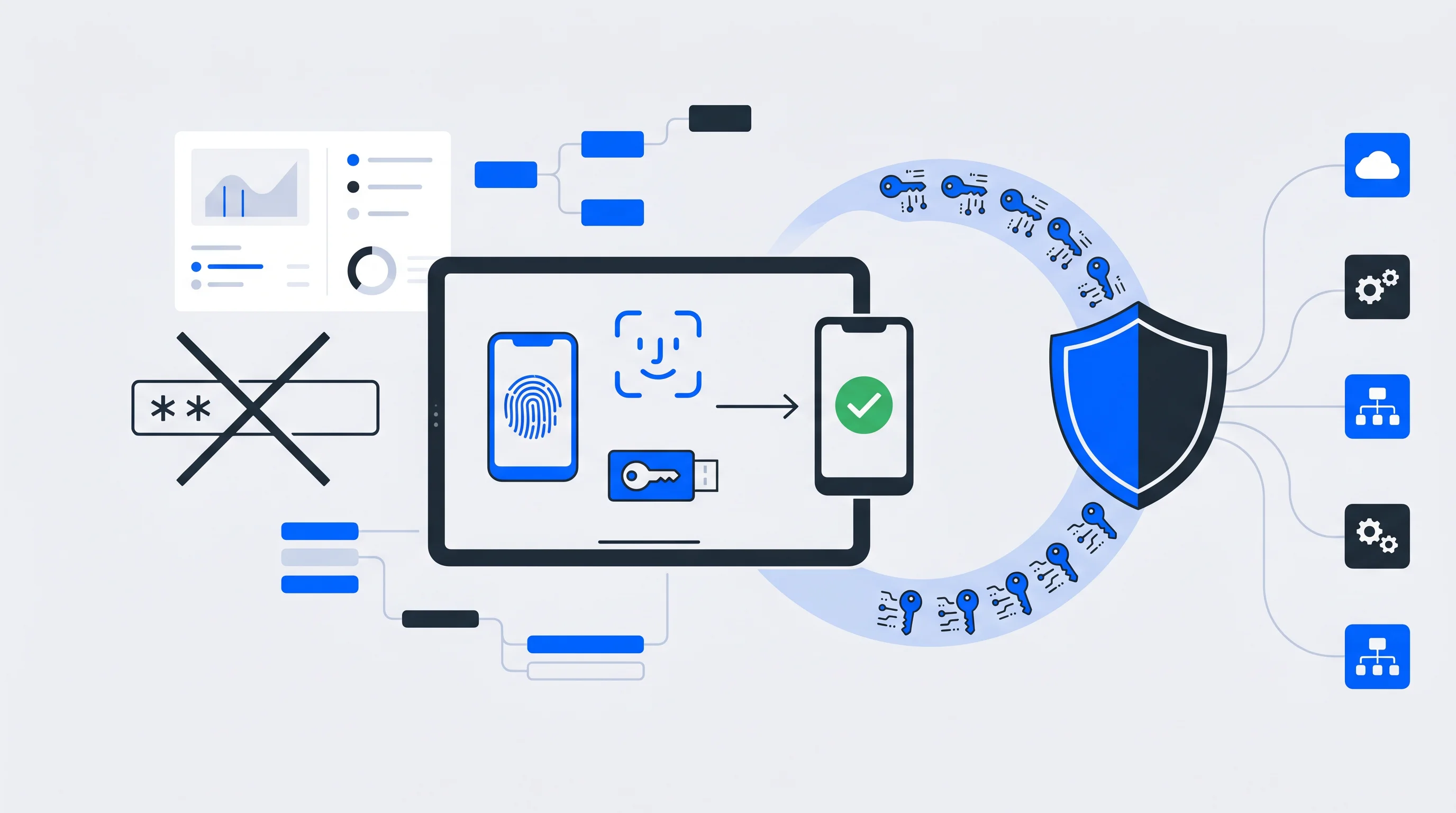
Passwords are the most attacked entry point in digital security, yet most organizations still rely on them as the default. Phishing, credential stuffing, and brute-force attacks all depend on one thing: a password that can be stolen, guessed, or reused.
Passwordless authentication eliminates this vulnerability entirely by replacing shared secrets with cryptographic verification, biometrics, or device-based proof of identity. This article covers how passwordless methods work, the seven key benefits driving adoption, and practical guidance for implementation.
What is passwordless authentication
Passwordless authentication is a login method that verifies identity without traditional passwords. Instead of typing a secret phrase, users prove who they are through biometrics, security keys, magic links, or push notifications. The approach relies on standards like FIDO2 and public-key cryptography, where a private key stays on the user's device and never travels across the network.
Traditional authentication depends on "something you know"—typically a password that both you and the server share. Passwordless methods shift verification to different factors:
- Something you have: A registered device, security key, or access to a trusted email inbox
- Something you are: Biometric identifiers like fingerprints or facial features
This shift matters because there are no credentials for attackers to phish, guess, or reuse across multiple sites.
Why passwordless authentication matters for modern businesses
Passwords have become the weakest link in digital security. Users struggle to remember complex credentials across dozens of services, which leads to password reuse, weak choices, and login abandonment. Attackers, meanwhile, have refined their techniques to exploit password vulnerabilities at scale.
The problems with password-based authentication are well documented:
- Phishing vulnerability: Attackers steal credentials through deceptive emails or fake login pages
- Credential stuffing: Stolen password databases are tested against multiple services automatically, accounting for 19% of all authentication attempts
- Password fatigue: Users abandon registrations or purchases when faced with complex password requirements
- IT support burden: Password resets often consume a large portion of help desk resources
Passwordless authentication addresses each of these issues directly. When there's no password to steal, phishing attacks lose their effectiveness. When users can authenticate with a fingerprint or a tap on their phone, login friction disappears.
How passwordless authentication works
Passwordless systems replace shared secrets with cryptographic verification. Rather than sending a password to a server for comparison, passwordless methods prove identity through possession of a registered device or verification of a biometric trait. The private key used for authentication never leaves the user's device, which makes interception essentially impossible.
Biometric passwordless authentication
Fingerprint scanning and facial recognition verify "something you are"—unique physical characteristics that are difficult to forge. Most modern smartphones and laptops include biometric sensors, so this method is accessible without additional hardware. When you unlock your phone with Face ID or Touch ID, you're already using biometric authentication.
Passkeys and FIDO2 security keys
Passkeys are cryptographic credentials that sync across your devices using FIDO2 standards developed by the FIDO Alliance. They work like a digital key that proves your identity without transmitting sensitive data.
Hardware security keys, such as YubiKeys, are physical devices that generate authentication responses when plugged in or tapped. These are particularly useful for high-security environments where additional protection is warranted.
Magic links and one-time passcodes
Magic links send a unique, time-limited URL to your email address. Clicking the link proves you have access to that inbox and logs you in automatically.
One-time passcodes (OTPs) work similarly, delivering a temporary code via SMS or email that expires after use. Both methods verify access to a trusted communication channel rather than knowledge of a secret.
Push notifications and authenticator apps
Authenticator apps like Microsoft Authenticator or Google Authenticator generate time-based codes or send push notifications requesting approval. When you receive a notification asking "Is this you trying to sign in?", a simple tap confirms your identity. This approach combines convenience with strong security.
| Method | What it verifies | Best use case |
|---|---|---|
| Biometrics | Something you are | Consumer apps, mobile-first experiences |
| Passkeys/FIDO2 keys | Something you have | Enterprise security, regulated industries |
| Magic links | Access to email | Email-verified workflows, low-friction signups |
| Push notifications | Device possession | Everyday authentication, SSO environments |
7 benefits of passwordless authentication
The advantages of removing passwords extend across security, user experience, and operational efficiency. Here's what organizations gain when they make the switch.
1. Stronger security against phishing and credential theft
When there's no password to enter, there's nothing for attackers to steal through fake login pages. Passwordless authentication using FIDO2 standards is inherently phishing-resistant because credentials are cryptographically bound to specific websites. Even if a user clicks a malicious link, the authentication simply won't work on an illegitimate domain.
Credential stuffing attacks—where stolen passwords are tested across multiple services—become irrelevant. Each passwordless credential is unique to a single service and cannot be reused elsewhere.
2. Improved user experience and faster access
Remembering complex passwords for dozens of services is mentally exhausting. Passwordless methods eliminate this cognitive burden entirely.
A fingerprint scan takes less than a second. A push notification requires a single tap. Magic links arrive directly in your inbox. This speed matters for everyday productivity, as employees spend less time on login screens and customers encounter less friction when accessing services.
3. Higher conversion rates and reduced login abandonment
Complex password requirements cause users to abandon registrations and purchases. When someone encounters a "password must contain uppercase, lowercase, numbers, and symbols" message, a percentage will simply leave. Passwordless authentication removes this barrier.
Organizations that unify login, opt-in, and checkout into a single streamlined flow often see improvements in conversion rates. One-click authentication tied to a central user identity makes repeat purchases and premium upgrades nearly effortless.
4. Lower IT support costs and fewer password resets
Password-related support requests—resets, lockouts, forgotten credentials—represent 40% of all help desk calls.
Eliminating passwords doesn't just improve UX — it frees up your IT team
The cost savings extend beyond direct support time. IT teams can redirect resources toward strategic initiatives rather than routine credential management.
5. GDPR compliance and transparent consent management
Modern passwordless methods provide clear audit trails showing exactly when and how users authenticated. This traceability supports compliance with regulations like GDPR, which require accountability in how user data is accessed and processed.
When passwordless authentication integrates with a centralized consent management system—particularly one hosted within the EU—organizations gain both security and regulatory confidence. Users can manage their authentication methods alongside their data preferences in a single, transparent interface.
6. Scalability across multiple services and platforms
Passwordless authentication works naturally with Single Sign-On (SSO), allowing users to authenticate once and access multiple connected services. Standards like OpenID Connect (OIDC) and SAML enable this integration across diverse platforms and applications.
For organizations managing multiple brands, apps, or member services, a central identity layer means deploying passwordless authentication once rather than implementing it separately for each touchpoint.
7. Future-proof security for evolving cyber threats
FIDO2 standards are designed with emerging threats in mind, including the eventual arrival of quantum computing. The cryptographic foundations of passwordless authentication are more resilient than password hashing, which becomes increasingly vulnerable as computing power grows.
Adopting passwordless now positions organizations for a zero-trust security model, where every access request is verified regardless of network location.
Is passwordless authentication safe
Passwordless authentication is more secure than traditional passwords precisely because it eliminates shared secrets. With password-based systems, both you and the server know your password, which creates multiple points of vulnerability. With passwordless methods, your private key never leaves your device.
The security advantages are substantial:
- Phishing-resistant: No credentials to enter on fake sites
- Replay-proof: Cryptographic challenges are unique to each authentication attempt
- Breach-resistant: Even if a service is compromised, attackers cannot obtain reusable credentials
Major enterprises including Microsoft, Google, and Apple have adopted passwordless authentication for their own employees and customers. The FIDO Alliance, which develops passwordless standards, includes hundreds of member organizations committed to this approach.
Challenges of passwordless authentication and how to overcome them
No authentication method is without implementation considerations. Understanding potential obstacles helps organizations plan effective rollouts.
Device dependency and account recovery
If your authentication depends on a specific device, losing that device creates an access problem. Organizations address this through multiple recovery options: backup security keys, recovery codes stored securely, secondary registered devices, or identity verification processes that can restore access.
Planning recovery workflows before deployment—rather than treating them as an afterthought—prevents frustrating lockout situations.
Implementation complexity and legacy systems
Older applications may not support modern authentication standards like FIDO2 or OIDC. A phased approach works well here: starting with newer systems or specific user groups while maintaining password fallbacks for legacy applications.
Identity platforms with extensive integration capabilities can bridge gaps between modern and legacy systems without requiring complete infrastructure rebuilds.
User adoption and change management
Users accustomed to passwords may initially resist unfamiliar methods. Clear communication about the benefits, simple onboarding experiences, and optional fallback options during transition periods help smooth adoption. Most users quickly prefer passwordless methods once they experience the convenience.
Passwordless vs password-based authentication
Understanding the direct comparison helps clarify why 92% of enterprises are making this transition.
Passwordless is no longer the future — it's the fast-moving present
| Factor | Password-based | Passwordless |
|---|---|---|
| Security | Vulnerable to phishing, stuffing, brute force | Phishing-resistant, no reusable credentials |
| User experience | Requires memorization, typing, resets | Fast, intuitive, friction-free |
| IT support burden | High volume of reset requests | Minimal password-related tickets |
| Compliance readiness | Limited audit trails | Clear authentication logs |
| Scalability | Separate credentials per service | Unified identity across platforms |
The comparison reveals why passwordless isn't just a security upgrade—it's an improvement across every dimension that matters to both users and organizations.
Best practices for implementing passwordless authentication
A thoughtful implementation approach maximizes the benefits while minimizing disruption.
1. Assess your current authentication infrastructure
Before implementing passwordless methods, audit your existing login systems, identity providers, and integration points. Understanding what you have helps identify the smoothest path forward and reveals which applications may require additional attention.
2. Select methods that match your user base
Different contexts call for different approaches. Biometrics work well for consumer-facing mobile apps. Hardware security keys suit high-security enterprise environments. Magic links provide low-friction options for email-verified workflows.
Many organizations offer multiple methods to accommodate different user preferences and security requirements.
3. Deploy in phases with fallback options
Starting with specific user groups or lower-risk applications allows you to refine the experience before broader rollout. Maintaining password fallbacks during transition gives users confidence and provides a safety net while adoption grows.
4. Integrate passwordless with your identity and data stack
Passwordless authentication delivers the most value when connected to your broader identity infrastructure—CRMs, CDPs, consent management systems, and marketing tools. A central identity platform that synchronizes user data across connected systems transforms authentication from a security function into a foundation for growth.
Tip: Identity platforms that combine SSO, consent management, and data synchronization in a single solution reduce integration complexity while creating unified user profiles that support personalization and monetization.
How to start your passwordless authentication journey
The shift to passwordless authentication represents both a security improvement and a user experience transformation. Organizations that make this transition gain protection against common attack vectors while reducing friction for users and support burden for IT teams.
The most effective implementations connect passwordless authentication to a broader identity strategy—one that unifies login, consent, and user data across all digital touchpoints. This approach turns authentication infrastructure into a foundation for conversion optimization, zero-party data growth, and independence from big tech platforms.
Whether you're consolidating multiple services under one login or building a best-of-breed stack, the right identity layer makes passwordless authentication part of a larger digital growth strategy.
FAQs about passwordless authentication benefits
Which passwordless authentication companies offer enterprise-ready solutions?
Leading providers include identity management platforms that support FIDO2, OIDC, and SAML standards while offering pre-built integrations with existing enterprise systems. The best solutions combine passwordless authentication with SSO, consent management, and user data synchronization capabilities.
How does passwordless authentication integrate with Single Sign-On?
Passwordless methods serve as the verification layer within an SSO framework. Users authenticate once using biometrics, passkeys, or another passwordless method, then access multiple connected services without re-entering credentials. The SSO system manages session tokens while passwordless handles the initial identity verification.
Can passwordless authentication support premium memberships and monetization?
Yes. When passwordless authentication connects to a central identity layer, it enables seamless one-click conversions for premium memberships, paywalls, and ID-based campaigns. Users who can authenticate instantly are more likely to complete purchases and upgrades.
Does passwordless authentication work for organizations managing multiple brands?
Passwordless authentication can deploy across multiple brands using a unified identity platform. This approach maintains consistent security standards while allowing brand-specific customization of login screens, user accounts, and consent interfaces.
How long does passwordless authentication implementation typically take?
Timelines vary based on infrastructure complexity and the number of systems requiring integration. Organizations using ready-to-go identity platforms with pre-built integrations can often deploy passwordless authentication within weeks. Custom implementations or those involving extensive legacy system integration may take several months.
The rise of Passkeys as the next generation authentication method
For users, logging in to services and accounts online is part of everyday life. For a long time, this required traditional passwords, which are considered insecure and cumbersome. Passkeys are an alternative that simplifies many things and offers numerous advantages in everyday use for both users and organizations.
The Preußen-ID: From Concept to Close to 100,000 Fans in Six Weeks
In February 2026, SC Preußen Münster launched the Preußen-ID — a unified fan identity that today connects close to 100,000 users and a six-digit number of opt-ins in a single profile. Member onboarding has run automatically ever since. Manual list management is gone.