

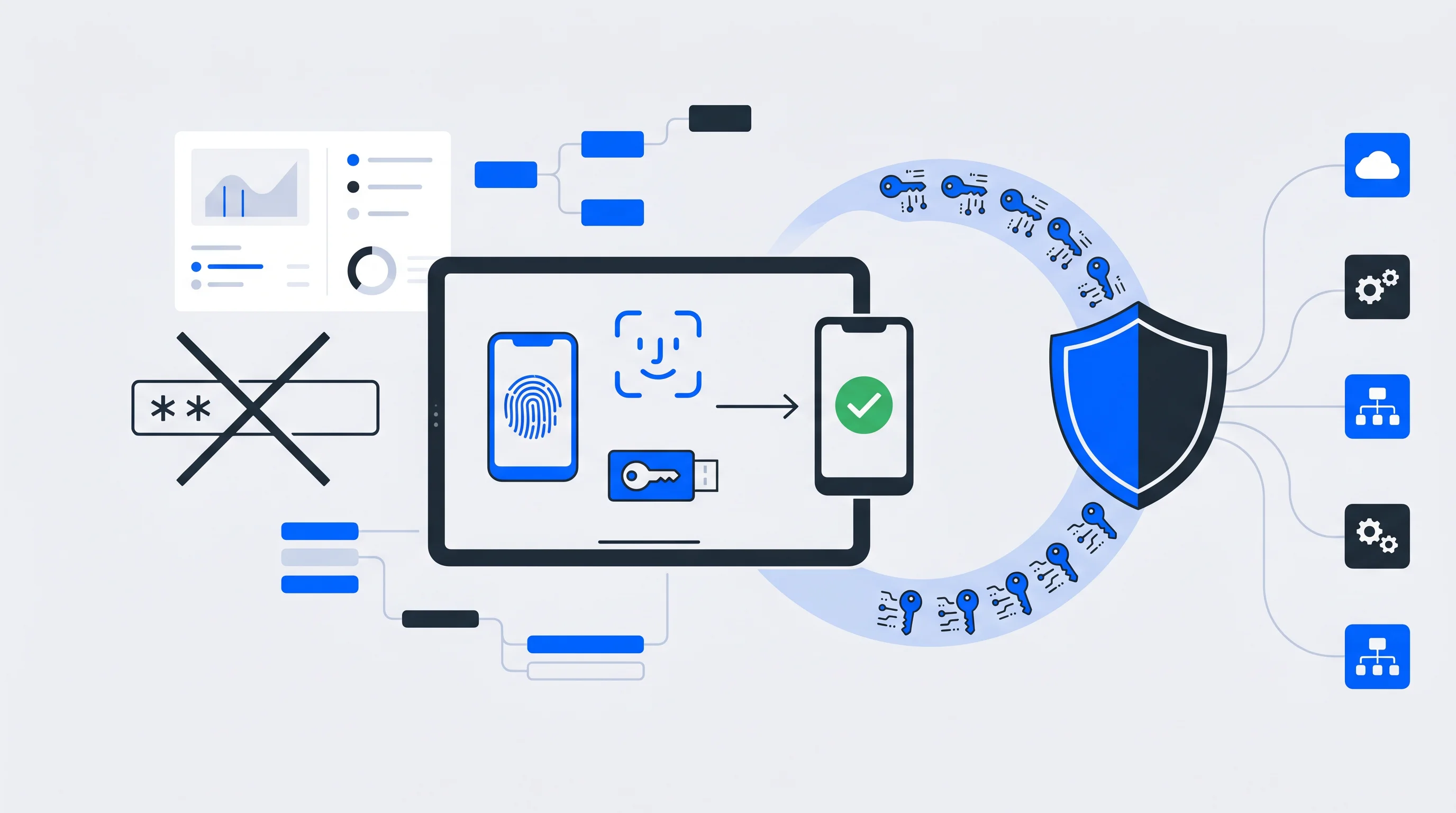
Passwords remain the most attacked entry point in digital security, yet most organizations still rely on them by default. Phishing, credential stuffing, and brute-force attacks all depend on one thing: a password that can be stolen, guessed, or reused.
Passwordless authentication removes that weakness by replacing shared secrets with cryptographic verification, biometrics, or device-based identity proof. In this article, we’ll explain how passwordless authentication works, the seven biggest benefits driving adoption in 2026, and practical guidance for implementation.
What is passwordless authentication?
Passwordless authentication is a sign-in method that verifies identity without traditional passwords. Instead of entering a secret string, users prove who they are through biometrics, security keys, magic links, or push notifications. The approach often relies on standards like FIDO2 and public-key cryptography, where a private key stays on the user’s device and is never transmitted across the network.
Traditional authentication is based on “something you know,” typically a password shared between the user and the server. Passwordless methods shift verification to other factors:
- Something you have: A registered device, a security key, or access to a trusted email inbox
- Something you are: Biometric traits such as fingerprints or facial features
This matters because there are no reusable credentials for attackers to phish, guess, or replay across services.
Why passwordless authentication matters for modern businesses
Passwords have become the weakest link in digital security. Users struggle to remember strong credentials across dozens of services, which leads to password reuse, weak password choices, and login abandonment. Attackers, meanwhile, have refined their ability to exploit password-based systems at scale.
The problems with password-based authentication are well documented:
- Phishing exposure: Attackers steal credentials through fraudulent emails or fake login pages
- Credential stuffing: Stolen password databases are tested automatically against multiple services, accounting for 19% of all authentication attempts
- Password fatigue: Users abandon registrations or purchases when they face complex password rules
- Support burden: Password resets consume a significant share of helpdesk resources
Passwordless authentication addresses these issues directly. If there is no password to steal, phishing loses much of its effectiveness. If users can sign in with a fingerprint or a tap on their phone, the friction around access drops dramatically.
How passwordless authentication works
Passwordless systems replace shared secrets with cryptographic proof. Instead of sending a password to a server for comparison, passwordless methods prove identity through possession of a registered device or successful biometric verification. The private key used for authentication never leaves the user’s device, which makes interception far more difficult.
Biometric passwordless authentication
Fingerprint scans and facial recognition verify “something you are,” unique physical traits that are difficult to replicate. Most modern smartphones and laptops already include biometric sensors, making this method accessible without extra hardware. If you unlock your phone with Face ID or Touch ID, you are already using biometric authentication.
Passkeys and FIDO2 security keys
Passkeys are cryptographic credentials that use FIDO2 standards developed by the FIDO Alliance and can sync securely across devices. They act like a digital key that proves identity without transmitting sensitive information.
Hardware security keys such as YubiKeys are physical devices that generate authentication responses when inserted or tapped. They are especially useful in high-security environments where stronger assurance is required.
Magic links and one-time passcodes
Magic links send a unique, time-limited URL to a user’s email address. Clicking the link proves access to that inbox and signs the user in automatically.
One-time passcodes, or OTPs, work similarly by sending a temporary code through SMS or email that expires after use. Both methods verify access to a trusted communication channel rather than knowledge of a static secret.
Push notifications and authenticator apps
Authenticator apps such as Microsoft Authenticator or Google Authenticator generate time-based codes or send push notifications asking for approval. When a user gets a prompt asking, “Are you trying to sign in?” a simple tap confirms identity. This approach combines ease of use with strong security.
| Method | What it verifies | Best use case |
|---|---|---|
| Biometrics | Something you are | Consumer apps, mobile-first experiences |
| Passkeys / FIDO2 keys | Something you have | Enterprise security, regulated industries |
| Magic links | Access to email | Email-verified workflows, low-friction signups |
| Push notifications | Device possession | Everyday authentication, SSO environments |
7 passwordless authentication benefits
The benefits of going passwordless span security, user experience, and operational efficiency. Here are the biggest reasons organizations are making the switch.
1. Stronger security against phishing and credential theft
If users never type a password, there is nothing for attackers to steal through fake login pages. Passwordless authentication based on FIDO2 is inherently phishing-resistant because credentials are cryptographically bound to specific websites. Even if a user clicks a malicious link, authentication won’t work on an illegitimate domain.
Credential stuffing attacks, where stolen passwords are reused across services, also become ineffective. Every passwordless credential is unique to a specific service and cannot be replayed elsewhere.
2. Better user experience and faster access
Remembering complex passwords for dozens of services creates unnecessary mental load. Passwordless methods remove that burden.
A fingerprint scan takes less than a second. A push notification requires just one tap. A magic link arrives directly in the inbox. That speed matters in day-to-day productivity, as employees spend less time stuck on login screens and customers encounter less friction when accessing digital services.
3. Higher conversion rates and fewer abandoned logins
Complicated password requirements cause users to drop off during signup and checkout. When someone sees rules like “must include uppercase letters, lowercase letters, numbers, and symbols,” some portion of users will leave. Passwordless authentication removes that barrier.
Organizations that combine login, opt-in, and checkout into a single streamlined flow often see measurable conversion improvements. One-click authentication tied to a centralized identity makes repeat purchases and premium upgrades significantly easier.
4. Lower IT support costs and fewer password resets
Password-related support requests, such as resets, lockouts, and forgotten credentials, account for 40% of all helpdesk calls. Eliminating passwords removes a large category of routine support work.
Eliminating passwords doesn't just improve UX — it frees up your IT team
The savings go beyond direct support time. IT teams can redirect resources toward strategic initiatives instead of repetitive credential management tasks.
5. Better GDPR readiness and transparent consent management
Modern passwordless methods create clear audit trails that show exactly when and how users authenticated. That visibility helps support compliance efforts under regulations such as GDPR, which require accountability for how user data is accessed and processed.
When passwordless authentication is integrated into a centralized consent management system, especially one hosted in the EU, organizations gain both stronger security and clearer regulatory posture. Users can manage authentication methods and data preferences from one transparent interface.
6. Scalability across multiple services and platforms
Passwordless authentication works naturally with single sign-on (SSO), allowing users to authenticate once and access multiple connected services. Standards such as OpenID Connect (OIDC) and SAML make this integration possible across diverse platforms and applications.
For organizations managing multiple brands, apps, or membership services, a centralized identity layer means passwordless authentication can be implemented once and extended across touchpoints, rather than rebuilt for each one.
7. Future-ready security against evolving cyber threats
FIDO2-based authentication is built for a modern threat landscape and offers stronger long-term resilience than password-based models. Password hashing remains vulnerable to credential theft, poor password hygiene, and increased attacker automation. Passwordless systems reduce those risks by design.
Adopting passwordless authentication now also helps organizations move toward a Zero Trust model, where every access request is verified continuously regardless of network location.
Is passwordless authentication secure?
Yes. In most cases, passwordless authentication is more secure than traditional passwords because it removes shared secrets. In a password-based system, both the user and the server depend on a credential that can be exposed, reused, or intercepted. In a passwordless model, the private key remains on the user’s device.
The security advantages are significant:
- Phishing-resistant: No static credentials are entered on fake sites
- Replay-resistant: Cryptographic challenges are unique for each authentication event
- Breach-resistant: Even if a service is compromised, attackers do not gain reusable login credentials
Major companies such as Microsoft, Google, and Apple have already adopted passwordless authentication across products and internal environments. The FIDO Alliance includes hundreds of member organizations committed to passwordless standards.
Passwordless authentication challenges and how to overcome them
No authentication model is completely free of implementation considerations. Understanding the common obstacles helps organizations plan better rollouts.
Device dependency and account recovery
If authentication depends on a specific device, losing that device can create access problems. Organizations handle this by offering multiple recovery options, such as backup security keys, securely stored recovery codes, secondary registered devices, or identity verification workflows.
Planning recovery before rollout, rather than treating it as an afterthought, helps prevent frustrating lockouts.
Implementation complexity and legacy systems
Older applications may not support modern authentication standards such as FIDO2 or OIDC. A phased rollout works well here: start with newer systems or lower-risk user groups while maintaining fallback methods for legacy environments.
Identity platforms with broad integration capabilities can help bridge gaps between modern and older systems without requiring a full rebuild of the stack.
User adoption and change management
Users who are used to passwords may resist unfamiliar methods at first. Clear communication, intuitive onboarding, and optional fallback paths during transition periods can improve adoption. In practice, most users quickly prefer passwordless options once they experience the convenience.
Passwordless vs. password-based authentication
A side-by-side comparison makes the benefits clearer. It also explains why 92% of organizations are actively moving in this direction.
Passwordless is no longer the future — it's the fast-moving present
| Factor | Password-based | Passwordless |
|---|---|---|
| Security | Vulnerable to phishing, stuffing, brute force | Phishing-resistant, no reusable credentials |
| User experience | Requires memorizing, typing, resetting | Fast, intuitive, low friction |
| IT support burden | High volume of reset requests | Minimal password-related tickets |
| Compliance readiness | Limited audit visibility | Clear authentication records |
| Scalability | Separate credentials per service | Unified identity across platforms |
Passwordless authentication is not just a security upgrade. It improves nearly every dimension that matters to users and organizations.
Best practices for implementing passwordless authentication
A thoughtful rollout approach helps maximize benefits while minimizing disruption.
1. Assess your current authentication infrastructure
Before introducing passwordless methods, review your existing login systems, identity providers, and integration points. Understanding the current state helps identify the smoothest path forward and highlights which applications may need special handling.
2. Choose methods that fit your user base
Different contexts call for different approaches. Biometrics work well in mobile consumer apps. Hardware security keys fit enterprise environments with elevated security requirements. Magic links offer low-friction options for email-verified workflows.
Many organizations support multiple methods to match user preferences and varying risk levels.
3. Roll out gradually with fallback options
Starting with selected user groups or lower-risk applications gives teams time to refine the experience before a broader launch. Keeping password-based or alternative fallback methods during transition periods can reduce anxiety and provide a safety net while adoption grows.
4. Connect passwordless authentication to your identity and data stack
Passwordless authentication creates the most value when tied into the wider identity ecosystem, including CRMs, CDPs, consent platforms, and marketing tools. A central identity platform that synchronizes user data across connected systems turns authentication from a security feature into a foundation for growth.
Tip: Identity platforms that combine SSO, consent management, and data synchronization in one solution reduce integration complexity while creating unified user profiles that support personalization and monetization.
How to start your passwordless authentication journey
Switching to passwordless authentication is both a security improvement and a user experience transformation. Organizations that make the move gain stronger protection against common attack vectors while reducing friction for users and support burden for IT teams.
The most effective implementations connect passwordless authentication to a broader identity strategy, one that unifies login, consent, and user data across digital touchpoints. That approach turns authentication infrastructure into a foundation for conversion optimization, zero-party data growth, and reduced dependency on Big Tech platforms.
Whether you are consolidating multiple services under one login or building a best-of-breed stack, the right identity layer makes passwordless authentication part of a larger digital growth strategy.
FAQs about passwordless authentication benefits
Which passwordless authentication companies offer enterprise-ready solutions?
Leading vendors include identity management platforms that support FIDO2, OIDC, and SAML while providing prebuilt integrations with enterprise systems. The strongest solutions combine passwordless authentication with SSO, consent management, and user data synchronization.
How does passwordless authentication integrate with single sign-on?
Passwordless methods act as the verification layer inside an SSO framework. Users authenticate once through biometrics, a passkey, or another passwordless method, then access multiple connected services without entering credentials again. The SSO system manages session tokens while the passwordless method handles initial identity verification.
Can passwordless authentication support premium memberships and monetization?
Yes. When passwordless authentication is connected to a centralized identity layer, it enables seamless one-click conversions for premium memberships, paywalls, and ID-based campaigns. Users who can authenticate instantly are more likely to complete purchases and upgrades.
Does passwordless authentication work for organizations managing multiple brands?
Yes. Passwordless authentication can be deployed across multiple brands through a unified identity platform. This ensures consistent security standards while still allowing brand-specific customization for login screens, user accounts, and consent interfaces.
How long does it usually take to implement passwordless authentication?
Timelines vary based on infrastructure complexity and the number of systems that need integration. Organizations using ready-to-deploy identity platforms with prebuilt integrations can often launch passwordless authentication in a matter of weeks. Custom implementations or projects with extensive legacy integration may take several months.
Passkeys: die moderne Form der Authentifizierung
Für die Nutzer gehört es online zum Alltag, sich bei Diensten anzumelden und sich in ihr Konto einzuwählen. Lange Zeit waren dafür klassische Passwörter notwendig, die jedoch als unsicher und umständlich gelten. Mit den Passkeys existiert eine Alternative, die vieles vereinfacht und sowohl für die Anwender als auch für Unternehmen und Organisationen zahlreiche Vorteile in der täglichen Verwendung bietet.
Die Preußen-ID: In sechs Wochen vom Konzept zu knapp 100.000 Fans
Im Februar 2026 hat SC Preußen Münster die Preußen-ID eingeführt – eine einheitliche Fan-Identität, die heute knapp 100.000 Nutzer und eine sechsstellige Anzahl an Opt-ins in einem Profil zusammenführt. Das Mitglieder-Onboarding läuft seither automatisiert. Manuelle Listenpflege entfällt.