

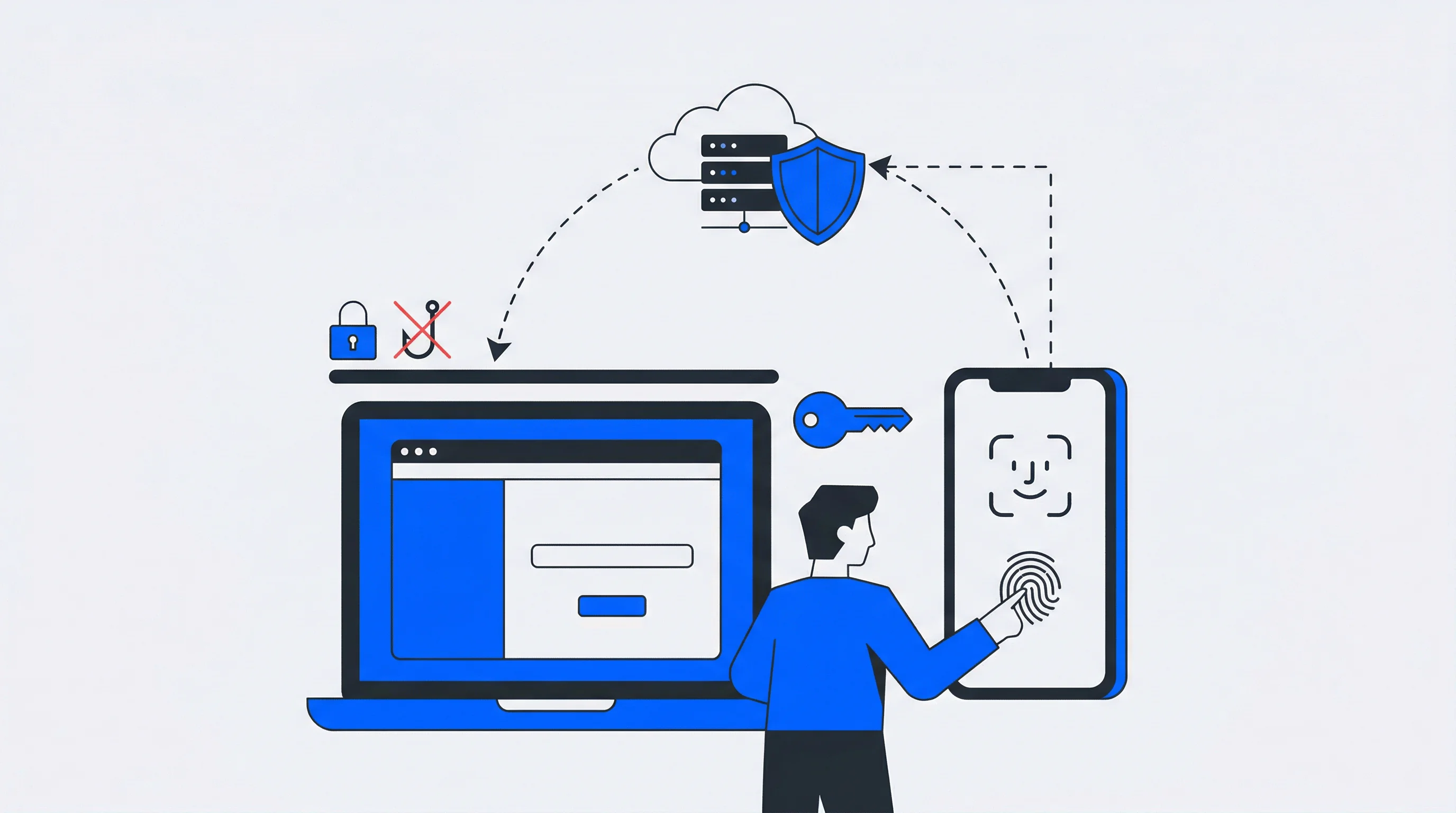
For users, logging in to services and accounts online is part of everyday life. For a long time, this required traditional passwords, which are considered insecure and cumbersome. Passkeys are an alternative that simplifies many things and offers numerous advantages in everyday use for both users and organizations.
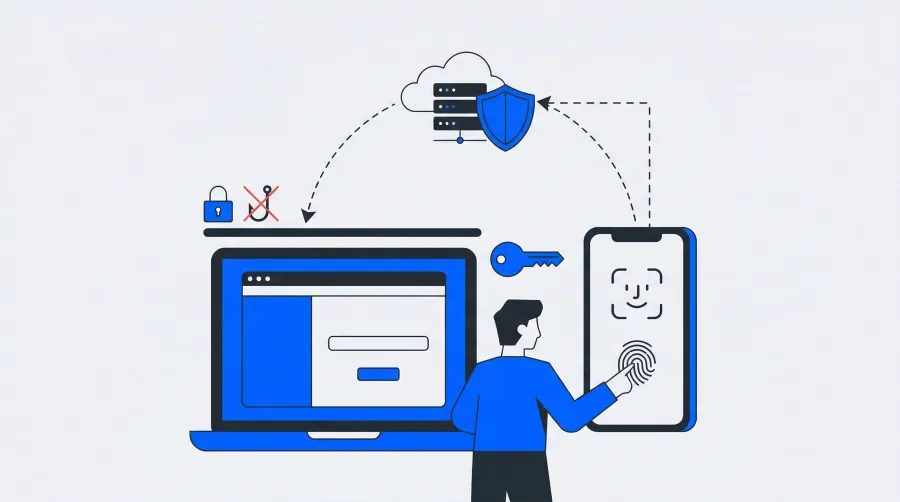
Introduction: What are passkeys?
Authentication is necessary in the digital world to protect users' online services and accounts. Unfortunately, conventional methods such as passwords are often very cumbersome and user-unfriendly. They are even insecure, because phishing attacks have repeatedly been successful in the past in connection with password-protected accounts. Cryptographic keys are intended to remedy this situation and provide a more secure and easier-to-use alternative.
The key pairs can be seen as a kind of next-generation authentication method. However, the introduction of this technology also presents challenges that first need to be overcome.
Technical basics
Instead of classic passwords, cryptographic key pairs are used with passkeys. One of these is public and the other private. The aim is to implement a secure, convenient and efficient login process.
Public key infrastructure
The public key infrastructure (PKI) plays a crucial role in the functioning of the cryptographic keys. The key pairs are based on the principle of asymmetric cryptography, which is derived directly from the PKI. In this process, one key is stored on a public server, while the other private key always remains on the user's device. The PKI is used to generate these keys and store them. When the key is used, a server sends a so-called challenge to the user device. Authentication is only successful if this device can sign the challenge using the private key.
FIDO2 protocol
The standards and protocols required for implementing the passkey method are defined in FIDO2. This makes it possible to use the key pairs in different applications and on different platforms. FIDO stands for "Fast Identity Online" — an open standard developed by the FIDO Alliance. In addition to registering the keys and performing the login process, FIDO2 ensures that passkeys can be used universally across a wide range of services on the internet. The protocol thus serves to establish the necessary interoperability.
WebAuthn
FIDO2 consists of two main components, one of which is WebAuthn (Web Authentication API). The W3C (World Wide Web Consortium) is responsible for developing this standard. This API makes it possible to authenticate from a FIDO-enabled device using a cryptographic key. WebAuthn creates an interface between the authentication device (such as a smartphone) and the web browser — enabling secure, passwordless authentication directly in the browser. Supported authentication devices include external hardware tokens (e.g. USB sticks) and biometric sensors.
CTAP
CTAP is the second component of FIDO2. It is responsible for communication between the authenticator (such as a USB security key) and the client device (such as a smartphone). The connection can be established via Bluetooth, NFC, or USB. CTAP is therefore compatible with a wide range of devices and use cases, enabling anyone to log in to online services using an external authentication device — securely, easily, and without a password.
How Passkeys Work in Practice
Understanding the practical authentication flow of passkeys helps clarify how this technology transforms the user experience. The process involves several distinct stages that work together seamlessly.
During initial registration, when a user wants to enable passkey authentication on a service, their device generates a unique cryptographic key pair. The private key remains securely stored on the device — in the device's secure enclave, trusted platform module (TPM), or dedicated security key. The corresponding public key is sent to the service provider and associated with the user's account.
When the user attempts to authenticate at a later time, the service sends a cryptographic challenge to the user's device. This challenge is a random piece of data that must be signed with the private key. The device then prompts for local authentication — fingerprint scan, facial recognition, PIN entry, or another biometric method depending on device capabilities.
Once local authentication succeeds, the device uses the stored private key to digitally sign the challenge. This signed response is sent back to the service, which uses the stored public key to verify the signature against the original challenge. If verification succeeds, the user is granted access.
This entire process typically takes just a few seconds and happens transparently. The user simply provides their biometric or device authentication — the cryptographic operations remain invisible.
Advantages
Passkeys, with their asymmetric cryptography, offer a whole range of advantages and could significantly impact the authentication landscape.
Security
One of the most important advantages of cryptographic keys is protection against phishing attacks. Private keys can significantly increase resistance because they never leave the user's device. This thwarts phishing attacks at the outset. It is also no longer possible for cybercriminals to steal passwords because they are not necessary. Brute force attacks are therefore also ineffective — overall, security during authentication processes increases dramatically.
Passkeys vs. Traditional Passwords: A Security Comparison
When evaluating whether passkeys are more secure than traditional passwords, the comparison reveals significant advantages across multiple security vectors. Traditional passwords face inherent vulnerabilities that cryptographic authentication methods are specifically designed to address.
Password-based systems are vulnerable to credential stuffing attacks, where attackers use previously breached username-password combinations across multiple services. With passkeys, each service receives a unique public key, making credential reuse attacks impossible. Even if one service is compromised, the breach cannot affect accounts on other platforms.
Traditional passwords can be intercepted during transmission or stolen from compromised databases. Passkeys eliminate these risks because the private key never leaves the user's device — only cryptographically signed challenges are transmitted. Even if an attacker intercepts this communication, they cannot use the data to authenticate themselves.
Social engineering attacks that trick users into revealing their passwords become ineffective with passkeys. Users cannot accidentally share their private keys because they don't have direct access to them — authentication requires physical possession of the registered device.
Perhaps most importantly, passkeys provide built-in protection against phishing. Traditional passwords can be entered on fraudulent websites, but passkeys are cryptographically bound to specific domains. The authentication process will simply fail if attempted on a domain that doesn't match the originally registered service.
User-friendliness
One of the key advantages of this authentication method is that it is more user-friendly. If you don't have to create passwords, you don't have to remember or manage them either. Signing in is much easier, and there is no need to remember complicated credentials. Authentication is much faster, which is particularly the case with facial recognition or fingerprint scanning. In addition, the technology integrates seamlessly into various devices and platforms. Password resets and the associated cumbersome process are also a thing of the past.
Data protection
A key advantage for data protection is that the storage of private keys and biometric data is only done locally on the user's own device. The risk of data breaches is reduced because the data never leaves the local environment. Password databases are also no longer required — in the past, these were a favorite target of attackers as a central storage location for potentially valuable information. Furthermore, the amount of data that users must share with services is reduced. Authentication is now possible without disclosure of sensitive data.
Challenges in implementation and adoption
One of the technological hurdles is that not all devices and platforms yet support cryptographic keys, requiring organizations to upgrade their systems. It is also important to create the necessary acceptance among users and keep entry barriers as low as possible. The habits of users when dealing with passwords should not be underestimated — many users may not know any other methods and therefore hesitate to switch.
It should also be noted that logging in via passkey is no longer possible if the user loses their device. Mechanisms should therefore be in place to ensure that keys can be restored or transferred to a new device.
Getting Started with Passkey Implementation
For organizations considering implementing passkey authentication, understanding the basic requirements and integration process is essential.
The first step involves ensuring browser and platform compatibility. Modern browsers — Chrome, Firefox, Safari, and Edge — support the WebAuthn API, while iOS, Android, macOS, and Windows provide the necessary platform authenticator capabilities.
From a technical perspective, implementing passkey support requires integrating the WebAuthn API into existing authentication flows. This involves modifying client-side JavaScript to handle credential creation and assertion ceremonies, and server-side code to process and validate cryptographic attestations. Many organizations work with specialized authentication libraries or identity management platforms that offer pre-built WebAuthn integrations to simplify this process.
A gradual rollout strategy often proves most effective. Organizations typically begin by offering passkeys as an optional authentication method alongside traditional passwords, allowing users to experience the benefits without creating barriers for those not yet ready. This approach helps build user confidence and allows for iterative improvements based on real-world usage.
Key considerations include account recovery mechanisms, cross-device synchronization, and user education. For businesses looking to integrate passkeys alongside standards like OpenID Connect or SAML, modern identity platforms provide the foundation to combine these approaches into a seamless authentication experience.
Future prospects and possible effects on the IT security industry
The introduction of passkey technology has great potential for the IT security landscape and could fundamentally change it. The advantages in terms of easier use and greater efficiency in the login process are obvious. However, the use of this authentication method also means a realignment of the security strategy — the main focus will shift to protecting end devices, because this is where the private keys are stored. Phishing should no longer play a major role in the future. Instead, cybercriminals will look for new vulnerabilities and focus on manipulating end devices. The industry must prepare for this.
Passkey Authentication for Sports Clubs: 5 Steps to Get Started
Passkey authentication replaces passwords with biometrics or a device PIN, letting sports club members sign in using a fingerprint, face scan, or screen lock instead of typing credentials. Built on FIDO2 and WebAuthn standards, passkeys are phishing-resistant by design—attackers can't steal what never leaves the member's device.
Passwordless Authentication Benefits: 7 Reasons to Make the Switch in 2026
Passwords are the most attacked entry point in digital security, yet most organizations still rely on them as the default. Phishing, credential stuffing, and brute-force attacks all depend on one thing: a password that can be stolen, guessed, or reused.