

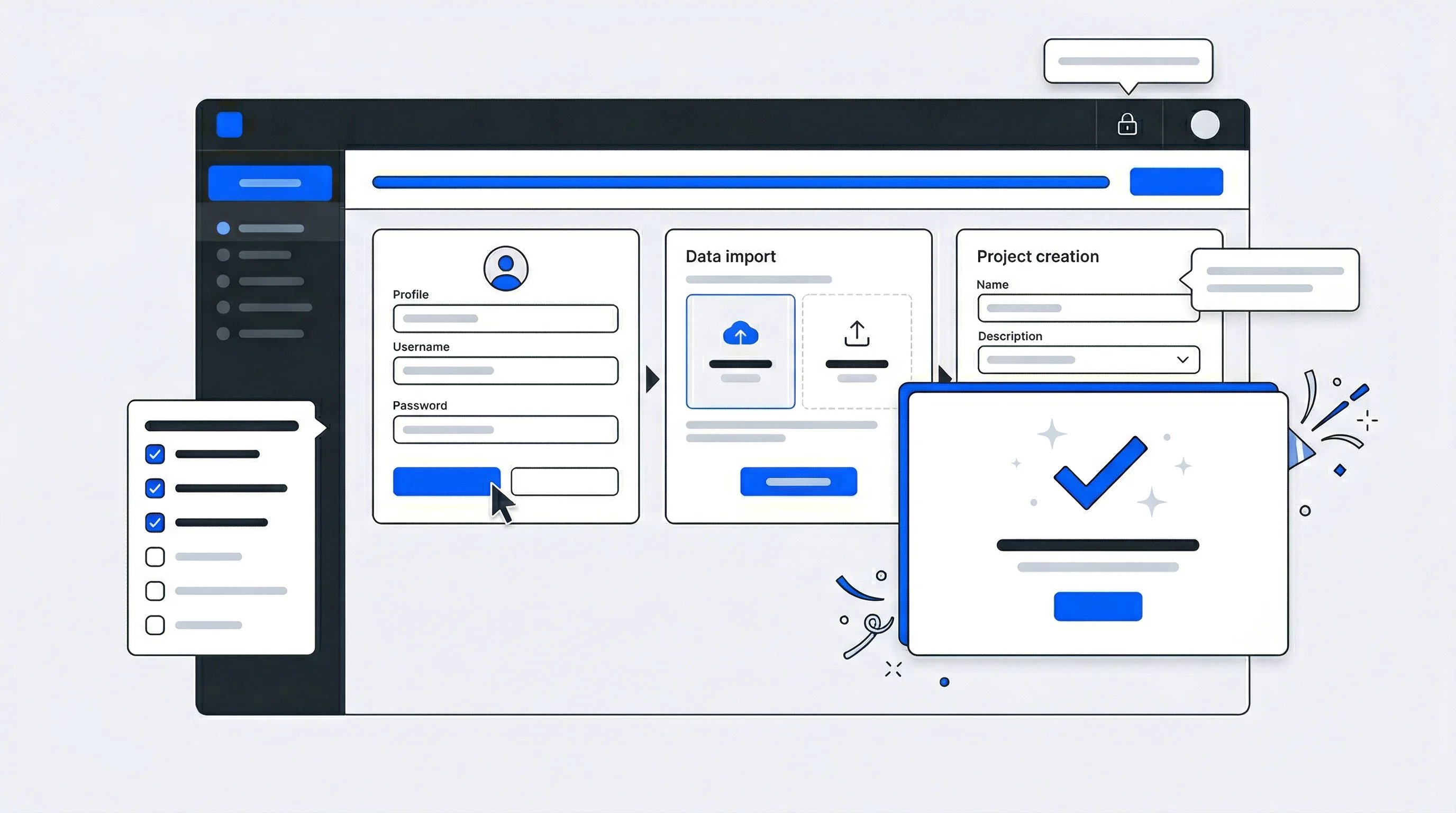
Most users who sign up for a product never become active users—the average activation rate is just 37.5% across B2B SaaS. The gap between registration and real engagement is where growth either happens or quietly dies.
Most users who sign up never become active users
User onboarding bridges that gap by guiding new users from their first sign-up to their first meaningful success—the moment they recognize why your product matters to them. This guide covers the principles, tactics, and structural elements that turn sign-ups into activated users, along with how to measure what's working and fix what isn't.
What is user onboarding and why does it matter for growth
User onboarding is the process of guiding new users from their first sign-up to their first meaningful success with a product. Effective onboarding focuses on delivering immediate value, minimizing friction, and guiding users to their "Aha!" moment—the point where they recognize the core value of what you've built.
The Aha! moment looks different for every product. For a project management tool, it might be completing a first task. For a streaming service, it might be discovering a show worth watching. Everything in your onboarding flow works toward getting users to that moment as quickly as possible.
When onboarding works, activation rates climb and early churn drops. When it fails, you lose users before they ever experience what makes your product worth using.
Core principles of effective onboarding UX design
Before getting into specific tactics, it helps to understand the foundational thinking behind successful onboarding. Three principles show up consistently in high-performing flows: brevity, value-first sequencing, and progressive disclosure.
Keep onboarding short and focused
Shorter onboarding flows tend to have higher completion rates. Chameleon's benchmark report found that top-performing product tours all stay under five steps—every additional step creates another opportunity for users to leave, so cutting unnecessary actions and deferring non-essential setup until after users experience value typically improves outcomes.
This doesn't mean rushing through critical steps. It means being deliberate about what truly belongs in the initial flow versus what can wait until later.
Show value before asking for commitment
The value-first principle suggests letting users experience your product before requiring detailed information or complex setup. If you ask for too much too early—job titles, company size, phone numbers—users may leave before discovering why your product matters to them.
Consider allowing limited access or a preview experience before full registration. This approach lowers barriers to the Aha! moment.
Use progressive disclosure to avoid overwhelming users
Progressive disclosure means revealing information and features only when they become relevant. Rather than front-loading a comprehensive tutorial, you introduce capabilities at the moment users are ready to use them.
Just-in-time guidance—a tooltip that appears when someone hovers over a new feature, for instance—tends to be more effective than mandatory walkthroughs that users quickly forget.
Communicate progress transparently with visual cues
Progress indicators, checklists, and completion percentages help users understand where they are in the onboarding process. Visible progress motivates continued engagement. A checklist starting at 20% complete, for example, creates momentum to finish the remaining tasks.
Key elements of a successful onboarding flow
Most effective onboarding flows share common structural elements, though the specific implementation varies by product type and audience.
Welcome screens and value propositions
A brief welcome screen reinforces why the user signed up and what they'll achieve. This screen works best when it's benefit-focused rather than feature-focused—emphasizing outcomes over capabilities.
Account creation and unified login options
Reducing friction during account creation—for example through instant signup without email verification—has a significant impact on completion rates. Social logins and Single Sign-On (SSO) allow users to authenticate with existing credentials rather than creating yet another username and password combination.
For organizations with multiple connected services, unified login eliminates redundant account creation entirely. Users create one identity that works across all touchpoints.
Personalization questions for user segmentation
Asking one to three targeted questions—about role, goals, or experience level—enables customized onboarding paths. A first-time user and a power user returning from a competitor have different needs. Brief segmentation questions help you serve both effectively.
Product tours and contextual tooltips
Full product tours walk users through major features in sequence, while contextual tooltips provide guidance at the moment of need. Tours work well for complex initial setup. Tooltips excel at ongoing feature discovery.
Empty states that prompt first actions
Empty states—screens that appear before user-generated content exists—represent prime onboarding real estate. Rather than showing blank space, effective empty states guide users toward their first meaningful action with clear prompts and examples.
Success milestones and celebration moments
Micro-rewards and celebratory feedback when users complete key steps create emotional engagement. A simple "Great job!" message or progress animation acknowledges effort and motivates continued use.
How to reduce friction in the user onboarding process
Friction—anything that slows users down or creates hesitation—is the primary enemy of successful onboarding. The following table compares common friction points with lower-friction alternatives:
| Friction Point | Traditional Approach | Low-Friction Alternative |
|---|---|---|
| Multiple logins across services | Separate accounts per platform | Unified login with SSO |
| Lengthy registration forms | Collect all data upfront | Progressive data collection |
| Separate consent flows | Multiple consent screens | Integrated consent during signup |
| Manual data entry | Users re-enter information | Pre-fill from existing sources |
Unify login across multiple services
A single identity layer eliminates the need for users to create separate accounts for each touchpoint. This approach is particularly valuable for organizations managing multiple digital properties—media brands, sports clubs, or membership organizations, for instance.
Combine login, consent, and checkout in one flow
Streamlined flows that handle authentication, permissions, and transactions together reduce the total number of steps users encounter. Rather than treating consent collection as a separate interruption, integrating it into account creation maintains momentum.
Pre-fill data from existing sources
When connected data sources already contain user information, pre-filling forms reduces manual entry. Synchronization with CRMs and existing user databases can eliminate redundant data collection entirely.
Eliminate redundant account creation
Central user IDs that work across connected services reduce repeated sign-up friction. Users register once and gain access to everything, rather than creating new accounts for each service.
Software and app onboarding best practices
Beyond structural elements, several tactical practices consistently improve onboarding outcomes for digital products:
- Minimize required fields: Ask only for essential information upfront—email and name are often sufficient. Additional data can be collected later.
- Enable SSO: Single Sign-On allows users to authenticate with existing credentials, reducing abandonment from password fatigue.
- Integrate consent seamlessly: GDPR-compliant consent collection works best when woven into the account creation flow rather than presented as separate steps.
- Provide skip options: Allowing users to bypass non-essential steps without losing access reduces forced abandonment.
- Use action-oriented microcopy: Clear, directive text that tells users exactly what to do outperforms vague instructions.
- Design mobile-first: Mobile users have less patience for lengthy flows. Ensure onboarding works smoothly on smaller screens with touch interactions.
Common user onboarding mistakes to avoid
Even well-intentioned onboarding efforts can undermine themselves through common pitfalls.
Overwhelming users with too many steps
When onboarding feels endless, users abandon it. The "too many steps" trap often results from trying to collect everything upfront rather than deferring non-essential actions.
Using walls of text instead of visuals
Images, icons, and short text communicate more effectively than lengthy explanations. Users scan rather than read during onboarding.
Forcing tutorials without exit options
Mandatory tutorials that offer no escape frustrate users who prefer to explore on their own. Providing skip options respects different learning preferences.
Ignoring user segmentation
One-size-fits-all onboarding fails to account for different user needs. A beginner and an expert require different guidance.
Failing to collect consent transparently
Unclear consent practices create both regulatory risk and trust problems. Users who don't understand what they're agreeing to may disengage—or feel deceived later.
When to use tutorials versus contextual help in onboarding UX
Two common approaches to user education—upfront tutorials and contextual tooltips—serve different purposes:
| Factor | Onboarding Tutorials | Contextual Tooltips |
|---|---|---|
| Timing | Shown upfront before use | Triggered at moment of need |
| User control | Often mandatory | Usually dismissible |
| Retention | Quickly forgotten | Reinforced through use |
| Best for | Complex initial setup | Feature discovery over time |
When onboarding tutorials make sense
Upfront guidance works well when products require complex initial setup or when certain steps are genuinely critical before any use is possible. Configuration-heavy enterprise tools often fall into this category.
When contextual tooltips are more effective
Just-in-time help that appears when users interact with specific features tends to be remembered better because it's immediately relevant. This approach works well for ongoing feature discovery.
Why pull-based help outperforms push-based tutorials
Pull-based help—information users actively seek—is more effective than push-based instruction that interrupts workflow. Help documentation, searchable FAQs, and user-initiated tooltips respect user autonomy while remaining available when needed.
How to personalize onboarding for different user segments
Personalization transforms generic onboarding into experiences that feel tailored to individual users.According to McKinsey, 71% of consumers expect personalized interactions, and 76% express frustration when this doesn't happen.
Segment by role or use case
Different users want to accomplish different things. An administrator setting up a team has different needs than an individual contributor joining an existing workspace.
Segment by experience level
Beginners benefit from more guidance. Power users or returning customers often prefer to skip basics and access advanced features quickly.
Use zero-party data to drive personalization
Zero-party data refers to information users intentionally share about their preferences and goals. Explicit preferences collected during onboarding can drive personalized experiences throughout the user lifecycle—and tend to be more reliable than inferred data.
How to measure user onboarding success
Measuring onboarding effectiveness requires tracking specific metrics that indicate whether users are progressing toward activation:
- Activation rate: The percentage of users who complete key actions that indicate they've experienced core value.
- Time-to-value: How quickly users reach their Aha! moment after signing up.
- Onboarding completion rate: How many users finish the full onboarding sequence versus where they drop off.
- Feature adoption: Which features users engage with after onboarding, indicating whether guidance was effective.
- Early retention: User return behavior in the days following onboarding—a leading indicator of long-term retention.
- User feedback: NPS scores, in-app surveys, and feedback widgets provide qualitative insights that metrics alone miss.
How unified identity infrastructure supports onboarding and long-term growth
For organizations managing multiple digital services—media brands, sports clubs, membership organizations—onboarding complexity multiplies. Users encounter separate registration flows for each touchpoint, creating friction and fragmenting data.
A central identity layer addresses this challenge by providing several key capabilities:
- Single account creation: Users register once and access all connected services.
- Consistent branded experience: Onboarding looks and feels unified across touchpoints.
- Synchronized user data: Profile information and preferences flow between services, enabling personalization everywhere.
- Integrated consent management: GDPR-compliant consent collection happens once, with transparent user control.
- 360° user profiles: Data aggregates over time, improving personalization and supporting premium memberships or targeted campaigns.
This infrastructure approach transforms onboarding from a repeated friction point into a foundation for long-term user relationships and revenue growth.
How can organizations onboard users across multiple connected platforms with a single flow?
A central identity management layer with SSO allows users to create one account that works across all connected services. This approach eliminates redundant registration while synchronizing profile data and consent across platforms.
What role does identity management play in improving user onboarding?
Identity management provides the infrastructure for unified login, consent collection, and user data synchronization. This reduces onboarding friction while enabling personalization based on a complete view of each user.
How can user data collected during onboarding sync with CRMs and CDPs?
Integration-ready identity platforms can automatically synchronize onboarding data—including profile fields, preferences, and consent status—with connected CRMs, CDPs, and marketing tools through APIs and webhooks.
Can user onboarding support premium membership and monetization goals?
Yes. Onboarding flows can introduce premium tiers, collect payment information, and segment users for targeted upgrade campaigns when the identity infrastructure supports membership management and ID-based campaigns.
::
Unidy and Data Talks Partner to Transform Zero-Party Data Management
Unidy, an innovative leader in white-label identity and single sign-on solutions, is excited to announce a strategic partnership with Data Talks, a pioneering provider of Customer Data Platform (CDP) solutions. This collaboration is set to transform the way businesses collect, manage, and activate zero-party data, fostering direct, data-driven relationships with their customers while upholding the highest standards of digital privacy.
What is a Single-Sign-On and why is it important?
Unidy enables Single-Sign-On to provide a unified login experience for users across one or multiple brand platforms. But what is Single-Sign-On and why is it important at all?