

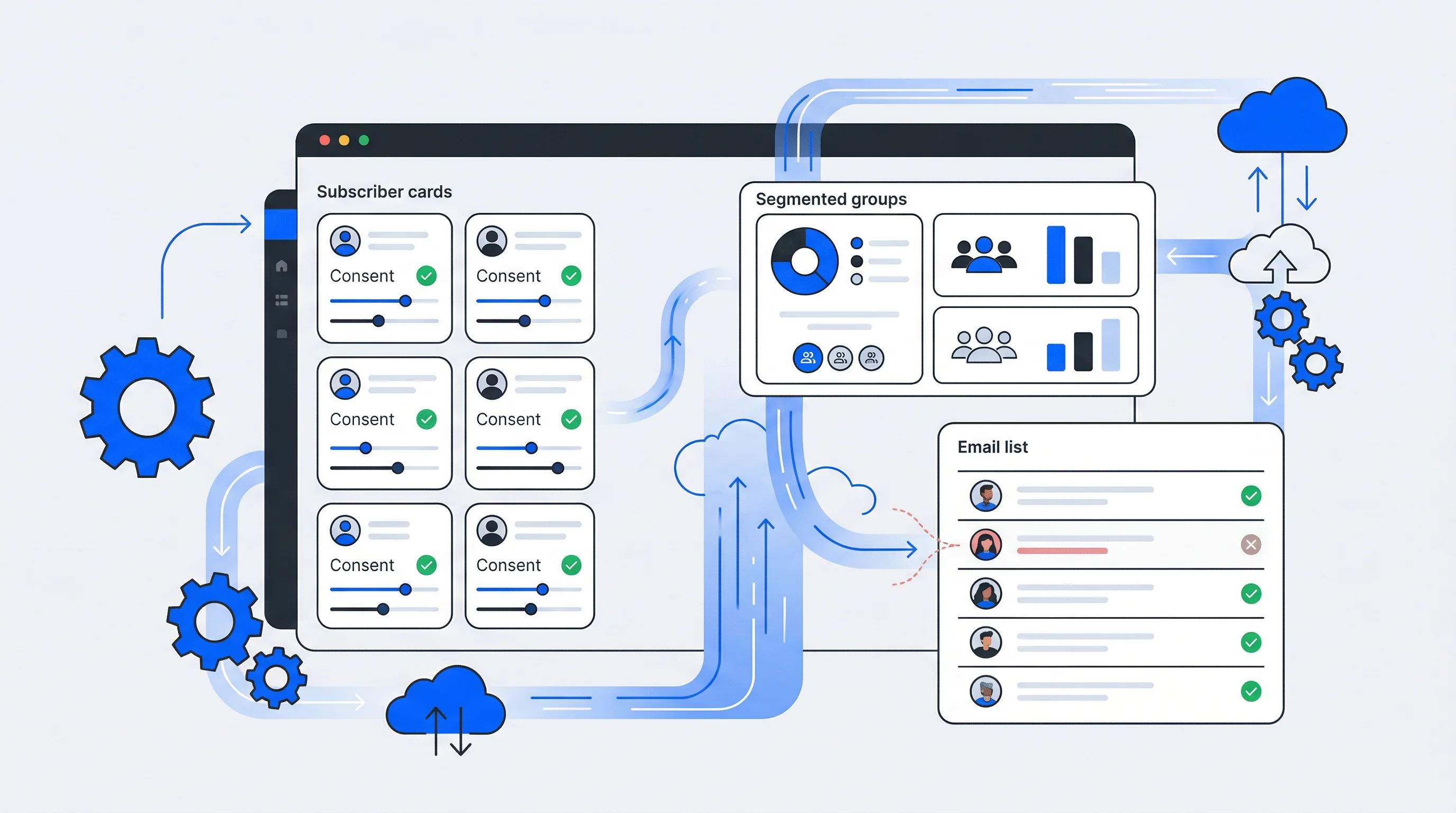
A growing subscriber list means nothing if half the addresses bounce and the other half never open your emails. The real value of a newsletter lies not in its size but in how well you manage the people on it.
This guide covers the core practices for building, organizing, and maintaining a healthy subscriber database—from signup optimization and segmentation to consent tracking, list hygiene, and reducing churn.
What is newsletter subscription management
Newsletter subscription management refers to the process of collecting, organizing, and maintaining your email subscriber database while tracking consent and preferences. In practice, this involves building and segmenting an engaged list, implementing double opt-in forms, offering preference centers where subscribers can select topics and frequency, and automating list cleaning to remove invalid addresses. The goal is to deliver relevant content while staying compliant with regulations like the General Data Protection Regulation (GDPR).
- Subscriber acquisition: How you gain new subscribers through signup forms, lead magnets, and other entry points.
- List organization: Dividing subscribers into groups based on interests, behavior, or demographics.
- Data hygiene: Removing invalid addresses and inactive contacts on a regular basis.
- Consent management: Documenting what communications each subscriber has agreed to receive.
Why newsletter management matters for your business
Improved deliverability and sender reputation
Email providers like Gmail and Outlook track your sending behavior. When your list contains invalid addresses or generates spam complaints, your sender reputation drops. A damaged reputation means more of your emails land in spam folders—or get blocked entirely.
Clean, well-managed lists reduce bounces and complaints. This keeps your reputation intact and ensures your messages actually reach subscriber inboxes.
Better audience targeting and personalization
When you know what topics interest a subscriber and how often they engage, you can send content that matches their expectations. Generic blasts to your entire list tend to underperform compared to targeted messages based on subscriber data—segmented campaigns have driven a 760% increase in email revenue.
Organized subscriber information makes this kind of targeting possible. Without it, you're essentially guessing what people want to read.
Segmentation isn't optional — it's the multiplier behind email ROI
Compliance with GDPR and privacy regulations
Under GDPR and similar regulations, you're legally required to document when and how subscribers opted in. You also have to honor their communication preferences and provide a way for them to manage or withdraw consent.
Proper subscription management includes tracking all of this. Failing to do so can result in fines—over €6.2 billion in GDPR penalties have been issued to date—and, perhaps more importantly, erodes trust with your audience.
Higher subscriber lifetime value
People stay subscribed longer when they receive content they care about at a frequency they prefer. Good management practices create the conditions for longer relationships and more consistent engagement—important given that email generates an average ROI of $36 for every $1 spent.
Email remains one of the highest-ROI channels in digital marketing
How to grow your subscriber list on your newsletter website
1. Optimize signup forms for conversion
Signup forms are the primary entry point for new subscribers. Keeping them simple—typically just an email field and perhaps a name—reduces friction. Placement matters too: forms in the header, within content, and at the end of articles each capture different visitor segments.
A clear value proposition tends to outperform generic "Subscribe to our newsletter" messaging. Telling visitors what they'll receive and how often sets accurate expectations from the start.
2. Use double opt-in for quality subscribers
Double opt-in is a two-step process where subscribers confirm their email address after signing up. They enter their email, receive a confirmation message, and click a link to verify.
This extra step filters out typos, fake addresses, and people who aren't genuinely interested. It also creates a clear consent record, which helps with GDPR compliance. The tradeoff is a slightly smaller list, but the subscribers you do get are more likely to engage.
3. Offer incentives and lead magnets
Incentives like exclusive content, discounts, or downloadable resources can encourage signups. The key is offering something genuinely valuable that relates to your newsletter content.
If the incentive has nothing to do with what you'll send later, you'll attract subscribers who only wanted the freebie. They're likely to disengage or unsubscribe quickly.
4. Leverage multiple touchpoints across your website
Different visitors respond to different placements. Some notice header forms, others scroll to the footer, and some engage with popups that appear as they're about to leave.
Testing various positions helps you understand what works for your specific audience. Exit-intent popups, for example, can capture visitors who might otherwise leave without subscribing.
How to segment and organize your subscribers
Segmentation divides your subscriber list into smaller groups for more targeted communication. Most effective strategies combine multiple segmentation methods.
Preference-based segmentation
This approach lets subscribers self-select their interests through structured preference groups at signup or via a preference center. Unlike behavioral segmentation, which infers interests from actions, preference-based segmentation relies on what subscribers explicitly tell you they want.
Preferences can be organized into groups. For example, a "Sports" group might contain preferences like "Football," "Basketball," and "Tennis." This structure keeps things manageable as your list grows.
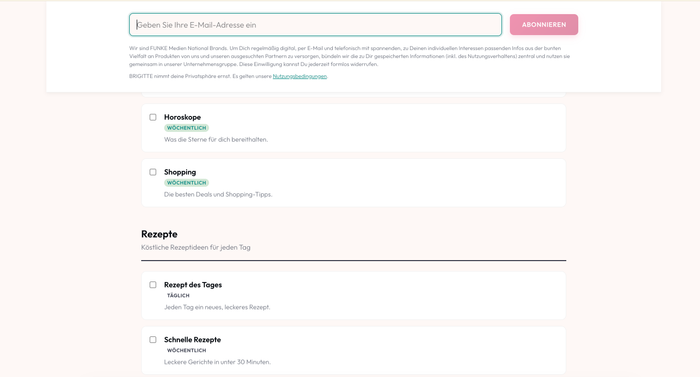
One important distinction: preferences reflect user interests but do not constitute a legal opt-in. The opt-in remains tied to the newsletter subscription itself. Preferences simply allow subscribers to tailor the content they receive within that subscription.
Behavioral segmentation
Behavioral segmentation groups subscribers based on actions they've taken—email opens, link clicks, purchases, or website visits. This data reveals what people actually do, which sometimes differs from what they say they want.
For example, a subscriber might select "Technology" as a preference but consistently click on marketing-related articles. Behavioral data captures this pattern.
Engagement-based segmentation
Separating highly engaged subscribers from inactive ones allows you to tailor messaging appropriately. Active subscribers might receive more frequent communications, while inactive ones might receive re-engagement campaigns designed to win them back.
| Segmentation Type | Data Source | Best For |
|---|---|---|
| Preference-based | Subscriber self-selection | Topic targeting, personalization |
| Behavioral | Email and website activity | Engagement-based campaigns |
| Demographic | Profile data, surveys | Location or role-based content |
| Engagement-based | Open and click rates | Re-engagement, frequency optimization |
How to maintain email list hygiene
Email list hygiene is ongoing maintenance, not a one-time cleanup. Regular attention keeps your deliverability high and your metrics accurate.
1. Remove inactive subscribers regularly
An inactive subscriber is someone who hasn't engaged with your emails for a defined period—often six months or more. With email lists facing a 25–30% annual decay rate, keeping inactive subscribers hurts your engagement rates and can damage sender reputation over time.
The definition of "inactive" varies by business. A weekly newsletter might consider someone inactive after three months of no opens. A monthly newsletter might wait longer.
2. Validate email addresses at signup
Email verification tools catch typos and invalid addresses before they enter your database. Someone typing "gmial.com" instead of "gmail.com" gets flagged immediately.
This prevents hard bounces and ensures you're only adding real, reachable addresses. Many email platforms offer built-in verification, or you can use dedicated validation services.
3. Monitor bounce rates and complaints
Hard bounces are permanent delivery failures—the address doesn't exist or the domain is invalid. Soft bounces are temporary issues like a full inbox. Both matter, but hard bounces require immediate removal.
Spam complaints are particularly damaging. Most email providers recommend keeping complaint rates below 0.1% of sends. Higher rates signal to inbox providers that your content is unwanted.
4. Re-engage or sunset dormant subscribers
Before removing inactive subscribers, try winning them back with targeted re-engagement campaigns. A simple "We miss you" email with a compelling reason to stay can recover some portion of disengaged subscribers.
If they still don't respond after a few attempts, removing them—a process called sunsetting—is better for your overall list health than keeping them around.
How to centralize subscriber data across systems
A common challenge is fragmented subscriber data spread across multiple tools. Your CRM, e-commerce platform, email service, and membership system might all have different versions of the same subscriber's information.
Consolidating multiple lists into one source of truth
When subscriber preferences exist in one system but not another, you can't deliver a consistent experience. Someone might update their preferences in your email tool, but your CRM still shows the old settings.
Consolidating into a central database ensures accuracy and gives you a unified view of each subscriber. This single source of truth becomes the reference point for all other systems.
Synchronizing subscribers with CRM and CDP
A Customer Relationship Management (CRM) system stores customer interactions and sales data. A Customer Data Platform (CDP) aggregates customer data from multiple sources into unified profiles.
Synchronization between your newsletter tool and these platforms keeps subscriber data consistent. When someone updates their preferences in one place, that change flows to the others automatically.
Using preference tokens for cross-system synchronization
Unique preference tokens can serve as persistent identifiers that travel across systems via API or webhook. Each subscriber's token links their preference settings in your newsletter platform to external tools like your CRM or marketing automation system.
This approach keeps preference data consistent everywhere without requiring subscribers to be logged in. Identity management platforms often serve as the central hub connecting these disparate systems.
Creating unified user profiles for personalization
By combining data from multiple sources—website behavior, purchase history, email engagement, and stated preferences—you can create rich, unified profiles. A subscriber who bought running shoes, clicked on marathon training articles, and selected "Fitness" as a preference presents a clear picture.
These profiles enable personalization that wouldn't be possible with fragmented data scattered across disconnected systems.
Managing consent and subscription permissions
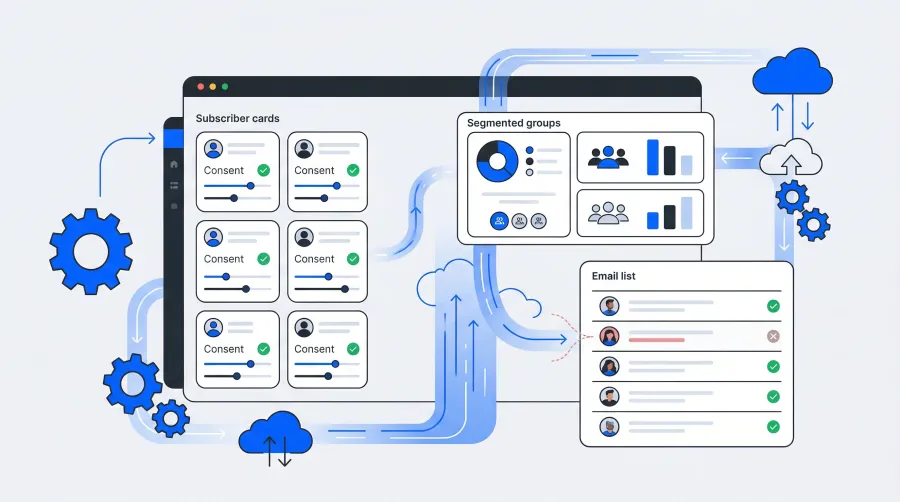
Consent management tracks and documents what communications subscribers have agreed to receive. This is essential for legal compliance and for building trust with your audience.
Understanding the difference between consent and preferences
Consent is the legal opt-in to receive a newsletter—the subscriber's agreement to be contacted. This is typically captured through a single or double opt-in process and is legally required.
Preferences are the subscriber's stated interests within that newsletter, such as preferred topics or content types. Preferences are optional but enable better personalization.
Treating consent and preferences as separate layers ensures clean compliance while still enabling personalization. A subscriber might consent to receive your newsletter (required) and then select specific topics they're interested in (optional).
Setting clear permission reminders
Including a permission reminder in your email footer explains why subscribers are receiving the message. Something like "You're receiving this because you subscribed on our website on date" reduces confusion and spam complaints.
This small addition builds trust and reminds subscribers of their relationship with you.
Building a self-service preference center
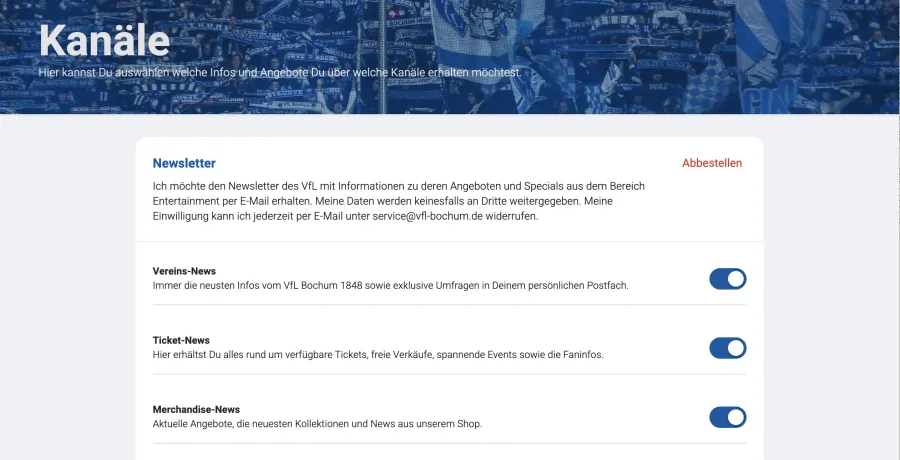
A preference center is a page where subscribers control their own settings—which emails they receive, how often, and what topics interest them. Instead of a binary subscribe/unsubscribe choice, subscribers can adjust their experience.
Best practice is making this accessible without requiring a login, typically through a unique token link in each email. This lowers the barrier for subscribers to manage their preferences and reduces unnecessary unsubscribes.
Documenting and auditing consent records
Keep detailed, timestamped records of when and how each subscriber gave consent. These records are necessary for proving compliance if you're ever audited under GDPR or similar regulations.
At minimum, record the date, time, source (which form or page), and the specific consent language the subscriber agreed to.
Tracking and measuring newsletter performance
Key metrics for subscription management
- List growth rate: How quickly your subscriber base is expanding, calculated as new subscribers minus unsubscribes divided by total list size.
- Churn rate: The percentage of subscribers who unsubscribe over a given period.
- Engagement rate: Opens and clicks as a percentage of your list size.
- Deliverability rate: The percentage of emails that successfully reach inboxes rather than bouncing or landing in spam.
A/B testing for optimization
A/B testing compares two versions of something to see which performs better. You might test different signup form designs, subject lines, content formats, or send times.
Even small improvements compound over time when applied consistently. A 5% improvement in signup conversion, repeated across months, significantly impacts list growth.
How to reduce subscriber churn
1. Identify at-risk subscribers early
Look for signals that indicate a subscriber may be about to churn. A steady decline in open rates over several emails, for instance, suggests waning interest.
Early identification allows you to intervene with targeted content or a re-engagement campaign before they unsubscribe.
2. Personalize content based on preferences
Relevant, personalized content that meets subscriber expectations is one of the most effective ways to keep people engaged. Leverage stated preferences to deliver content aligned with each subscriber's interests rather than relying solely on inferred behavior.
When subscribers consistently receive content they care about, they have less reason to leave.
3. Offer granular preference management instead of binary unsubscribe
Make the unsubscribe process easy and one-click as required by regulations, but offer meaningful alternatives on the unsubscribe page. Instead of a binary subscribe/unsubscribe model, provide options to adjust interests, switch topics, or reduce frequency.
Someone who wants fewer emails isn't necessarily someone who wants no emails. Giving them control often keeps them on your list.
4. Run re-engagement campaigns for lapsed subscribers
Targeted win-back campaigns can recover disengaged subscribers before they're lost entirely. A simple "We noticed you haven't opened our emails lately" message with a clear value proposition can be surprisingly effective.
If they don't respond after a few attempts, it's better to remove them than to keep sending to someone who isn't interested.
Building a scalable newsletter subscription strategy
To build a sustainable, growth-oriented newsletter strategy, focus on scalability from the start. This means choosing tools and processes that can grow with your subscriber base without requiring constant rebuilding.
A key component of scalability is centralized identity and data management. For organizations seeking to unify subscriber data with broader identity management, centralized platforms can connect newsletter subscriptions with Single Sign-On (SSO), consent management, and user profiles across all digital touchpoints.
This approach creates a foundation for long-term growth where subscriber data flows seamlessly between systems, preferences stay synchronized, and compliance is built into the infrastructure rather than bolted on afterward.
Read more
- What is a Single-Sign-On and why is it important?
- The End of Third-Party Cookies
- SCIM: How Automated User Provisioning Transforms Customer Identity Management
FAQs about newsletter subscription management
How do I migrate subscribers when switching newsletter platforms? Export your subscriber list as a CSV file including email addresses, consent dates, and any custom fields. Then import into your new platform while mapping fields correctly. Maintaining consent records during migration is essential for staying GDPR compliant—you'll want to preserve the original opt-in date and source.
Can newsletter subscriptions be managed through Single Sign-On? Yes, SSO platforms can centralize newsletter subscription management alongside other user preferences within a unified account. This approach connects newsletter opt-ins with broader consent and profile management across all your digital services, giving subscribers a single place to manage their relationship with your brand.
What is the difference between consent and preferences? Consent is the legal opt-in to receive a newsletter—the subscriber's agreement to be contacted. Preferences are the subscriber's stated interests within that newsletter, such as preferred topics or content types. Consent is legally required; preferences are optional but enable better personalization.
How can subscribers control email frequency without fully unsubscribing? Offer a preference center where subscribers can choose to receive emails less frequently or select only specific content topics. Making this accessible via a unique link in each email—without requiring a login—lowers friction and keeps more subscribers on your list who might otherwise unsubscribe entirely.
Newsletter Double Opt-In: What It Is and Why It Matters
A newsletter double opt-in is a two-step subscription process where someone signs up for your email list and then confirms their intent by clicking a verification link sent to their inbox. Until that confirmation happens, the subscription stays inactive.
Passkey Authentication for Sports Clubs: 5 Steps to Get Started
Passkey authentication replaces passwords with biometrics or a device PIN, letting sports club members sign in using a fingerprint, face scan, or screen lock instead of typing credentials. Built on FIDO2 and WebAuthn standards, passkeys are phishing-resistant by design—attackers can't steal what never leaves the member's device.