

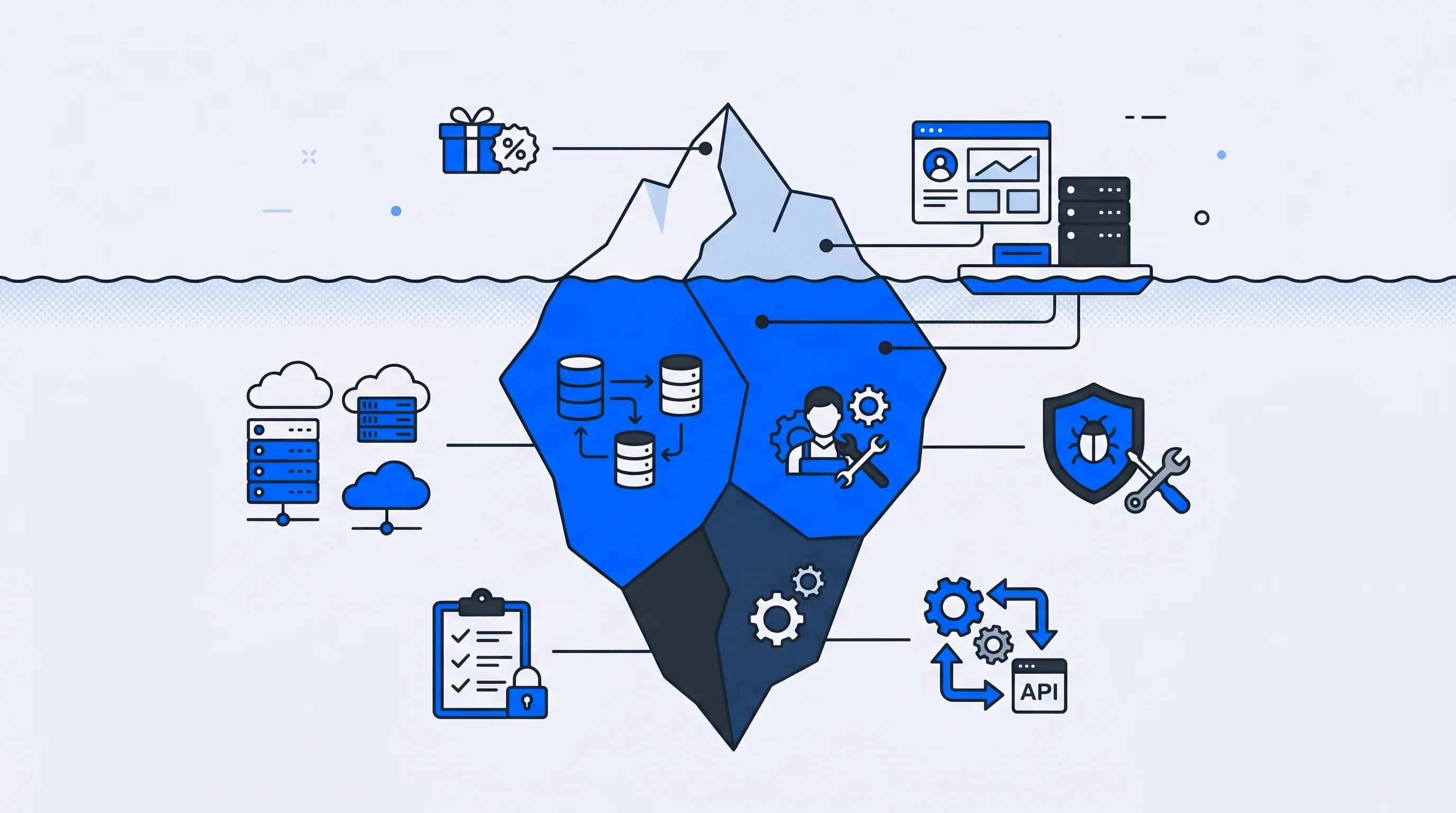
Keycloak's Apache 2.0 license costs exactly zero dollars, which makes it an attractive starting point for teams evaluating identity management options. That zero-dollar figure, however, represents only the software license—not the infrastructure, engineering time, security work, or compliance efforts required to run it reliably.
The gap between "free to download" and "free to operate" catches many organizations off guard, sometimes months into a deployment. This guide breaks down the actual cost categories your team will encounter, from cloud hosting and DevOps investment to security patching and integration development, so you can budget accurately before committing.
Why Keycloak's zero-dollar license comes with significant costs
Keycloak is open-source and free to license, yet its hidden costs stem from high operational expenditures that result in a high Total Cost of Ownership (TCO). The "free" label applies only to the software license—not to the servers, engineers, security work, and compliance efforts required to run it in production. Many teams discover this gap only after they've committed to a self-hosted deployment.
The cost categories that typically surprise organizations include:
- Infrastructure costs: Servers, databases, load balancers, and cloud resources
- Personnel costs: Engineering time for setup, maintenance, and around-the-clock support
- Security costs: Patching, vulnerability management, audits, and penetration testing
- Compliance costs: Documentation, certifications, and EU data residency requirements
- Integration costs: Connecting Keycloak to CRMs, CDPs, and marketing tools
Understanding each category upfront helps your team budget realistically rather than discovering shortfalls mid-project.
What is Total Cost of Ownership for Keycloak
Total Cost of Ownership (TCO) is a financial framework that captures all direct and indirect costs of deploying and operating software over its lifecycle. For self-hosted identity solutions like Keycloak, TCO extends far beyond the zero-dollar license to include everything from cloud bills to engineer salaries to security audits.
TCO for Keycloak breaks down into three layers:
- Direct costs: Infrastructure hosting, database services, monitoring tools
- Indirect costs: Engineering salaries, opportunity cost of building versus buying
- Ongoing costs: Maintenance, upgrades, security patching, compliance efforts
When evaluating Keycloak pricing, the question isn't whether the software is free. It's whether your organization can absorb the operational investment required to run it reliably over time.
Keycloak hosting and infrastructure costs you cannot avoid
Self-hosting Keycloak means your organization pays for and manages all underlying infrastructure. These aren't one-time expenses—they're recurring monthly costs that scale with your user base and availability requirements.
Cloud compute and database resources
Running Keycloak in production requires virtual machines or containers, a persistent relational database like PostgreSQL or MySQL, and load balancers to distribute traffic. Even a modest deployment across development, staging, and production environments can generate substantial monthly cloud bills.
A basic AWS deployment with Aurora database, Application Load Balancer, and ECS containers might cost several hundred dollars monthly before accounting for high availability or geographic distribution.
High availability and disaster recovery
Authentication systems are critical infrastructure. When login fails, every connected application becomes inaccessible. Production-grade deployments therefore require redundant Keycloak instances across multiple availability zones, automated failover configurations, and database replication.
Keycloak uses Infinispan for distributed caching in clustered deployments, which adds configuration complexity and additional infrastructure requirements. Setting up multi-site or high-availability clusters increases both cost and operational burden significantly.
Monitoring and observability tools
Logging aggregation, metrics dashboards, and alerting systems help detect issues before users report them. Tools like Prometheus and Grafana—or their cloud-native equivalents—add to infrastructure spend while requiring configuration and maintenance expertise.
Without proper observability, debugging authentication failures becomes guesswork, and outages extend longer than necessary.
DevOps and engineering time investment
Personnel costs are often the largest hidden cost category for self-hosted Keycloak. The platform requires specialized identity and DevOps expertise that many organizations underestimate—or simply don't have on staff, with ISC2 finding 59% face critical cybersecurity skills shortages.
The expertise Keycloak demands is exactly what's hardest to hire
Initial setup and configuration
Getting Keycloak production-ready involves realm configuration, theme customization to match your brand, identity provider connections for social logins or enterprise directories, and authentication flow design. A basic deployment might take several weeks. Enterprise implementations with custom integrations often require several months of focused engineering effort.
Ongoing maintenance and version upgrades
Keycloak releases frequent updates, and upgrading requires testing in staging environments, managing database migrations, and addressing breaking changes between major versions. Teams commonly report spending more than three hours weekly on production environment maintenance alone.
This ongoing commitment compounds over time. Each upgrade cycle demands attention, and falling behind on versions creates security risks while making future upgrades more difficult.
On-call support and incident response
Authentication systems require around-the-clock availability, which means on-call rotations, debugging login failures at inconvenient hours, and responding to user-reported issues. Unlike commercial solutions, there's no vendor support to escalate to when problems arise.
For small teams, this operational burden can actually make Keycloak more expensive than commercial solutions when accounting for labor costs and engineer burnout.
Security patching and vulnerability management costs
Self-hosting shifts all security responsibility to your team. Authentication systems are high-value targets for attackers, with the average breach costing $4.44 million in 2025 according to IBM, making security a critical and ongoing cost center rather than a one-time consideration.
When you self-host authentication, breach liability is entirely yours
Tracking CVEs and security advisories
Your team will actively monitor Keycloak security announcements and Common Vulnerabilities and Exposures (CVE) databases. Assessing which vulnerabilities affect your specific deployment configuration requires security expertise and dedicated attention.
Testing and deploying patches
Applying security patches isn't as simple as clicking "update." Each patch requires staging environment testing, regression testing of authentication flows, coordinated production rollouts, and rollback planning. Rushing patches risks breaking login functionality, while delaying them risks security breaches.
Security audits and penetration testing
Compliance requirements often mandate external security audits and penetration testing of authentication infrastructure. These expenses fall entirely on your organization, and they recur annually or with each significant system change.
Tip: When calculating security costs, include not just the audit fees but also the engineering time required to prepare documentation, respond to findings, and implement remediation.
Integration development costs for SAML and OpenID Connect
Connecting Keycloak to your existing tech stack requires development work. While Keycloak supports SAML and OpenID Connect (OIDC) standards, real-world integrations often demand custom development beyond basic protocol configuration.
Connecting Keycloak to CRMs, CDPs, and marketing tools
Integrating with Customer Relationship Management (CRM) systems, Customer Data Platforms (CDP), and marketing automation tools typically requires custom development. Keycloak's out-of-box integrations are limited compared to managed identity platforms that offer hundreds of pre-built connectors.
Building custom protocol adapters and webhooks
When standard SAML or OIDC configurations prove insufficient, teams build custom Service Provider Interfaces (SPIs), event listeners, or webhook implementations. This Java-based extension work requires specialized expertise that development teams may not have readily available.
Maintaining integrations as systems change
Integrations aren't one-time efforts. Third-party APIs change, connected systems update, and ongoing maintenance ensures data synchronization continues working. Each integration becomes a long-term maintenance commitment that adds to your operational load.
Compliance documentation and GDPR audit costs
Self-hosting makes your organization the responsible party for compliance. With regulators issuing over €6.2 billion in GDPR fines since 2018, there's no vendor to provide certifications or handle audit responses on your behalf—you answer every security questionnaire yourself.
Preparing for SOC 2 and industry certifications
Meeting SOC 2, ISO 27001, or industry-specific compliance standards requires documentation, evidence collection, and process implementation. Your authentication infrastructure becomes part of your audit scope, adding complexity to certification efforts.
Meeting EU data residency requirements
GDPR and data residency regulations may require specific Keycloak hosting configurations within the EU. This affects infrastructure choices and potentially limits cloud provider options, sometimes increasing costs compared to US-based hosting.
Managing vendor risk as the system owner
When customers and partners send security questionnaires, you're the "vendor of record" for identity infrastructure. Responding to these assessments requires time and expertise, and any gaps reflect on your organization's security posture.
Scalability costs as your user base grows
Keycloak costs don't scale linearly with user growth. Expanding user bases require more powerful infrastructure, performance tuning expertise, and potentially architectural changes that compound operational complexity.
Scaling challenges include:
- Infrastructure scaling: Larger instances, more replicas, upgraded database tiers
- Performance tuning: Query optimization, caching strategies, session management
- Architectural changes: Clustering configuration, geographic distribution, CDN integration
Teams often underestimate how quickly these demands grow and how much specialized expertise they require.
How Keycloak pricing compares to managed identity solutions
Comparing self-hosted Keycloak TCO against commercial alternatives requires examining the full cost picture, not just license fees.
| Factor | Self-Hosted Keycloak | Managed Identity Platform |
|---|---|---|
| License cost | None | Subscription fee |
| Infrastructure | Your responsibility | Included |
| Maintenance | Your team | Vendor managed |
| Security patching | Your team | Vendor managed |
| Compliance certifications | You obtain | Often included |
| Support SLA | None | Contractual |
| Pre-built integrations | Limited | Extensive |
The comparison often favors managed solutions for organizations without dedicated identity engineering teams or for those prioritizing speed to market.
How to estimate and budget Keycloak costs for your organization
Before committing to self-hosted Keycloak, calculating expected TCO helps avoid surprises down the road.
1. Calculate infrastructure and hosting spend
Estimate cloud compute, database, storage, and networking costs based on expected user volume and availability requirements. Factor in Keycloak hosting across development, staging, and production environments.
2. Estimate personnel hours and salary costs
Calculate engineering time for initial implementation, ongoing maintenance hours per month, and on-call coverage. Include the opportunity cost of building versus buying and of engineers not working on core product features.
3. Add security and compliance overhead
Budget for security tooling, external audits, penetration testing, and compliance documentation efforts. These costs are often forgotten until audit time arrives.
4. Include integration and customization investment
Account for development time connecting Keycloak to existing CRM, CDP, and marketing tools. Include ongoing maintenance for these integrations as connected systems evolve.
When a ready-to-go identity platform delivers lower total cost
Managed identity solutions often provide better value for teams without dedicated identity engineers, organizations prioritizing speed to market, or companies requiring EU-hosted GDPR compliance out of the box.
Platforms with extensive pre-built integrations eliminate much of the custom development work that drives Keycloak's hidden costs. When identity infrastructure includes built-in consent management, data synchronization, and compliance features, the TCO comparison shifts significantly.
For organizations seeking to unify login experiences while avoiding operational complexity, ready-to-go solutions that combine Single Sign-On (SSO) with extensive integrations and EU hosting can reduce both upfront investment and ongoing burden.
FAQs about Keycloak pricing and hidden costs
Is Keycloak free for commercial use?
Yes, Keycloak uses the Apache 2.0 license which permits commercial use without licensing fees. However, organizations separately budget for infrastructure, personnel, security, and compliance costs to operate it in production environments.
What are the main limitations of self-hosted Keycloak?
Self-hosted Keycloak requires significant DevOps expertise, provides no built-in vendor support, and places full responsibility for security patching, upgrades, and compliance on your internal team. These operational demands often exceed initial expectations.
How long does a typical Keycloak implementation take?
A basic Keycloak deployment may take several weeks, while enterprise implementations with custom integrations, branding, and high-availability requirements often require several months of focused engineering effort.
What Is Federated Identity and How Does It Work?
Federated identity is a system that links a user's digital identity across multiple separate organizations, allowing them to log in once and access various applications without re-authenticating at each one. When you click "Sign in with Google" on a third-party website, you're using federated identity—Google confirms who you are so the other site doesn't have to manage your credentials.
How companies increase digital sales with Unidy
Collect - Increasing number of user profiles / Connect - Increase data fields and opt-ins per user / Convert - Increase revenue per user